

Calendly Review: The Best Scheduling Tool for Remote Coaches (2026)
Some links on this page earn us a small commission, at no extra cost to you. Full disclosure.
Scheduling can eat your week. Email back and forth, time zone conversions, the awkward "actually that does not work for me" moment, and another round of 6 messages just to land a 30 minute call. Calendly makes that disappear: one link, one click from the client, and you are booked.
This is an honest Calendly review: the good, the limits, and the alternatives for when Calendly is not the right fit.
The Short Answer
For most remote coaches, freelancers and small business owners, Calendly is the best scheduling tool you can buy. The free plan covers a single calendar and one event type. Paid plans start at 10 USD/seat/month (Standard, billed annually) and unlock unlimited event types, more calendars and integrations; team scheduling is on the Teams plan. The simplicity of the user experience for both you and your clients is hard to beat.

If you run a complex multi service practice with payments, intake forms and complex automation, look at SavvyCal or Acuity instead. For 90 percent of coaches, Calendly is the right pick.
Key takeaways
- For most remote coaches, freelancers and small business owners, Calendly is the best scheduling tool.
- The free plan covers one event type; paid plans start at 10 USD/seat/month, billed annually.
- For a complex multi service practice with payments, intake forms and automation, look at SavvyCal or Acuity.
- The weak spots are branding, intake forms and payments, which are all basic.
Calendly for Coaching Calls: The Short Version
- Create two event types: a free 15 minute discovery call and a 60 minute coaching session.
- Protect your calendar: 15 minutes of buffer around every call, a daily cap and a minimum notice.
- Connect Zoom or Google Meet so every confirmation has the call link.
- Turn on reminders 24 hours and 1 hour before the call.
- Share one link. The client picks a time in their own time zone.
The full setup is in How To Set Up Calendly As A Coach below.
What Calendly Actually Does
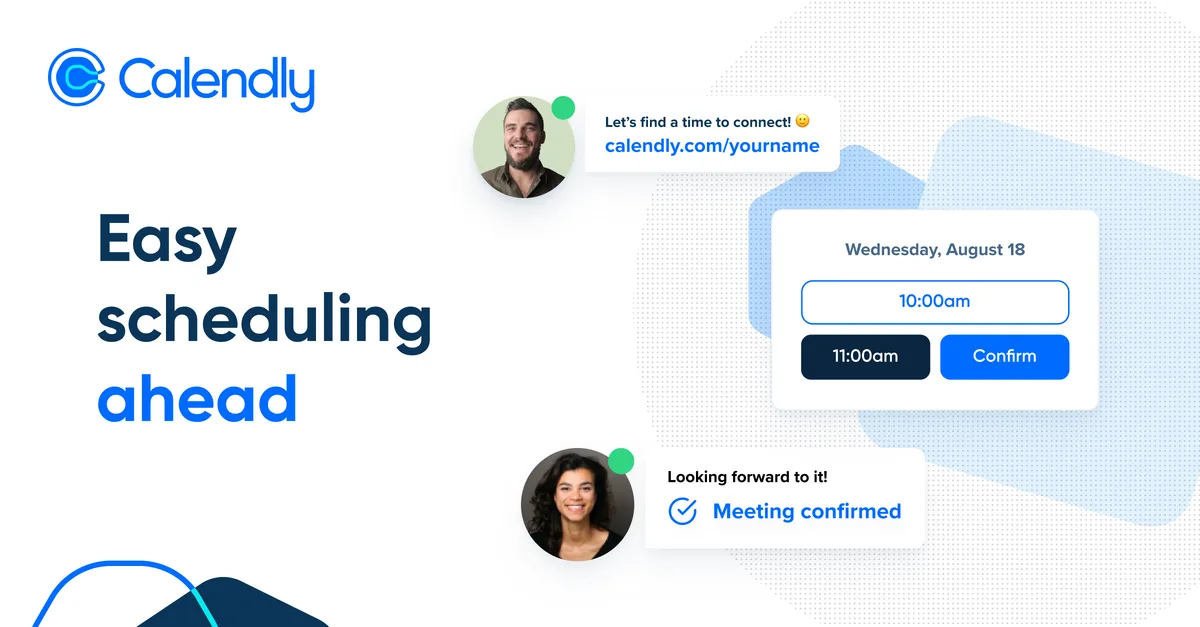
The basic idea is simple. You set your availability once. You create event types (15 min discovery call, 60 min coaching session, etc). You share a link. The client picks a time that works for them in their time zone. The booking lands on both calendars with a video call link, reminders fire automatically, and nobody emails anyone about scheduling.
It sounds simple because it is. But the small details are what make Calendly stand out.
- Time zone detection on the client side, so they always see times in their zone
- Buffer time before and after each meeting, so you do not get back to back booked
- Daily meeting caps, so you do not let yourself get overwhelmed
- Minimum notice rules, so people cannot book you in the next 30 minutes
- Round robin scheduling for teams, so leads get assigned automatically
- Integration with Google Calendar, Outlook, iCloud and Office 365
- Native integrations with Zoom, Google Meet, Microsoft Teams
- Stripe and PayPal integration for paid bookings
For a coach, the combination of buffer time, daily caps and minimum notice is the most important. These settings are what protect your calendar from chaos and keep you from burning out.

The Plans Explained
| Plan | Price | Best For |
|---|---|---|
| Free | 0 USD | One event type, basic use |
| Standard | 10 USD/seat/mo (billed annually) | Most coaches and freelancers |
| Teams | 16 USD/seat/mo (billed annually) | Small teams, round robin |
| Enterprise | Custom | Large teams |
For a solo coach the Standard plan (from 10 USD/seat/month billed annually) is the right pick. The free plan is too limited (only one event type means you cannot offer both a discovery call and a regular session).
Where Calendly Wins
The thing Calendly does better than any competitor is the client experience. When a client clicks your booking link, they land on a clean page, see your availability in their time zone, click a slot, fill in their name and email, and they are done. The whole interaction takes less than a minute.
That smoothness translates into more bookings. People who get a clean automated confirmation and reminders show up more often than people who agreed to a meeting in a thread of emails.
The other thing Calendly nails is the team scheduling. Round robin lets multiple coaches share one booking link, with the system auto assigning based on availability and load. For a coaching practice with 2 or 3 coaches, this saves hours of manual juggling.

Where Calendly Falls Short
Three real downsides after years of using it.
First, the design is functional but not customizable. The Calendly branding shows up on every booking page. If you are a high end coach charging premium rates, the off the shelf look may feel cheap. Paid plans give you more branding control, but the design is still basic.
Second, intake forms are limited. You can ask custom questions during booking, but you cannot build a real intake form with conditional logic, file uploads or rich formatting. For coaches who need a proper client intake, you have to send a separate form (Typeform, Tally, Google Forms).
Third, payment is basic. Calendly integrates with Stripe and PayPal, but the checkout flow is simple. No payment plans, no packages, no upsells. For a coaching practice with tiered offers, you need a separate sales page or a tool like Acuity.
The Alternatives Worth Knowing
SavvyCal
SavvyCal is the newer, prettier alternative. The interface lets clients overlay their own calendar on top of yours, which makes picking a time much faster for them. The client experience is excellent. Pricing is similar to Calendly (Basic from 10 USD/user/month billed annually).
Calendly still wins on integrations and team features. For solo coaches with a single event type, SavvyCal is a real contender.

Acuity Scheduling
Acuity is owned by Squarespace and is the most feature rich of the three. Better intake forms, better payment handling, packages and gift certificates, better customization. The trade off is a slightly worse client experience and a steeper learning curve.
For coaches running a real practice with 3+ service types, packages and intake forms, Acuity is often the better choice.
Google Calendar Appointment Scheduling
Google added their own scheduling tool to Google Calendar in 2022. It is free with Google Workspace and covers the basics. No team scheduling, no payments, no fancy features. For someone who only needs one event type and is already on Google Workspace, it is enough.
Side By Side
| Tool | Best For | Starting Price | Strength |
|---|---|---|---|
| Calendly | Most coaches | 10 USD/mo | Reliability and integrations |
| SavvyCal | Solo coaches | 10 USD/mo | Best client experience |
| Acuity | Multi service practices | 16 USD/mo | Forms, packages, payments |
| Google Calendar | Single event type | Free with Workspace | Already in Google |

How To Set Up Calendly As A Coach
The setup that works for a coaching practice:
- Free 15 minute discovery call event type, linked from your website
- 60 minute coaching session event type, only sent to existing clients
- 30 minute follow up event type, for shorter check ins
- Buffer time of 15 minutes before and after every session
- Daily cap of 4 client sessions, so you never overcommit
- Minimum notice of 12 hours, so you are never surprised
- Auto reminder emails 24 hours and 1 hour before
- Auto Zoom link generation in every confirmation
This setup runs itself: a quick look at the dashboard once a week is enough.
The Hidden Feature That Saves Hours
Routing forms. If you have multiple service offerings, Calendly's routing feature lets a single intake form direct people to different event types based on their answers. New leads with budget over a certain amount go to your premium discovery call. New leads under that budget get a self serve booking link. Existing clients get a different link entirely.
This feature alone can justify a higher plan for coaches with more than one offer.

Final Take
Calendly is the default for a reason. The product is reliable, the integrations are deep, and the client experience is smooth. For 90 percent of remote coaches, freelancers and small business owners, it is the right answer.
The two real alternatives worth knowing are SavvyCal (better client UX, for solo use) and Acuity (better for multi service practices with packages). For most coaches, Calendly wins on balance.
For more on the coaching business side, our project management tools comparison and ConvertKit vs Mailchimp cover the rest of the stack.
FAQ
Is Calendly free for coaches?
The free plan covers one event type, which is too limited for most coaches. The Standard plan (from 10 USD/seat/month billed annually) is the right starting point for a solo coaching practice.
Can I take payments through Calendly?
Yes. Calendly integrates with Stripe and PayPal for paid bookings. The payment flow is basic. For complex pricing (packages, payment plans), Acuity is the better fit.
Does Calendly integrate with Zoom?
Yes. Native integration with Zoom, Google Meet and Microsoft Teams. The video call link is auto generated and included in every booking confirmation.
How is Calendly different from SavvyCal?
Calendly is more established with deeper integrations and team features. SavvyCal has a cleaner client experience where the booker can overlay their own calendar on yours. For solo use, SavvyCal often feels smoother. For team use, Calendly wins.
Can I customize the look of my Calendly page?
Limited customization. You can add a logo and brand color on paid plans, but the design itself is mostly fixed. For full branded scheduling pages, look at Acuity or a custom built solution.
Is Calendly good for coaching calls?
Yes. One link lets a client pick a time in their own time zone, with a video link and reminders included.
Does Calendly integrate with Kit (ConvertKit)?
Yes. Calendly lists a Kit integration, developed by Kit, on all plans from Free to Enterprise (checked on 5 October 2026). It can tag subscribers and trigger Kit emails when someone books.
Updated:
Affiliate disclosure. This post contains affiliate links. If you click and buy something, this site earns a small commission at no extra cost to you. Picks are based on published specs, independent reviews and manufacturer information, and we only recommend what we would use ourselves. As an Amazon Associate I earn from qualifying purchases. Read the full affiliate disclosure.


2 Comments