

Best Travel Keyboards
As an Amazon Associate I earn from qualifying purchases. Some links on this page earn us a small commission, at no extra cost to you. Full disclosure.
Best Travel-Friendly Keyboards for Digital Nomads in 2026
Finding the perfect portable keyboard for your nomadic lifestyle
A laptop keyboard that gives out in the middle of a trip, with no repair shop nearby and a deadline waiting, is a classic nomad headache. This guide compares the best travel keyboards for digital nomads on weight, battery life and typing feel. Your keyboard isn’t just a peripheral, it’s your lifeline when you work remotely, and the right one can change your productivity, your wrist health and your mood on the road.
Quick answer
Most nomads should start with the Logitech MX Keys Mini. Pick the Keychron K3 Pro if you want a mechanical keyboard, the Magic Keyboard if you live in the Apple ecosystem, or the Logitech Pebble Keys 2 K380s if budget matters most.
Our top picks
Logitech MX Keys Mini
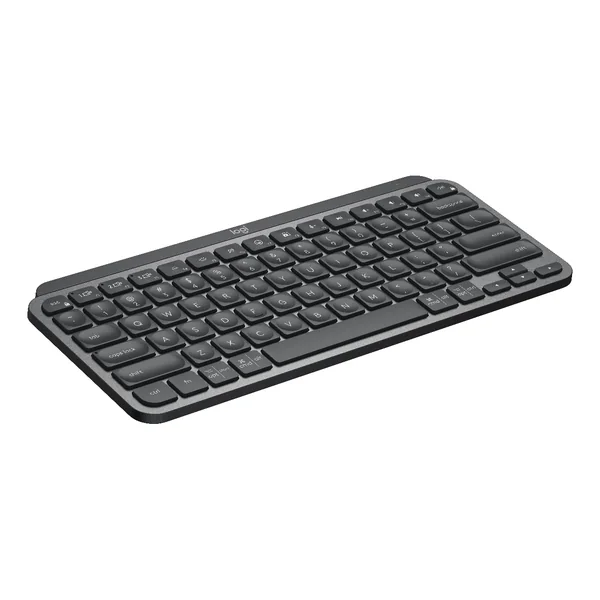
A compact keyboard that suits coffee shops, coworking spaces and small apartments. Read more
Apple Magic Keyboard
Worth serious consideration if your entire workflow lives in the Apple ecosystem. Read more
Keychron K3 Pro
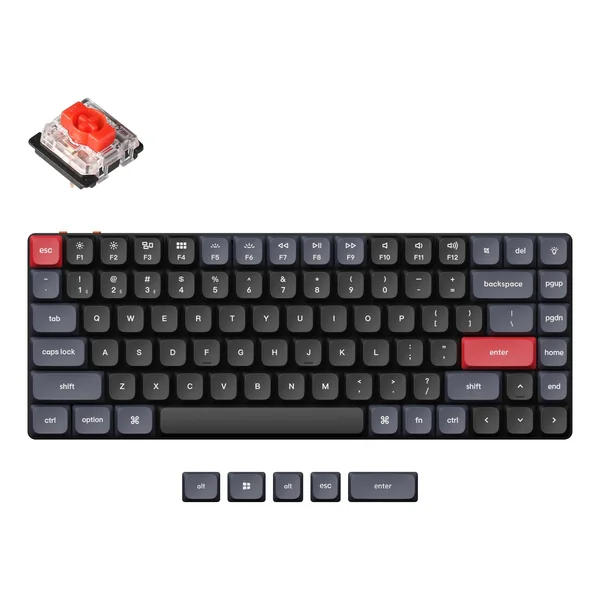
A 75% layout keyboard with low-profile mechanical switches. Read more
NuPhy Air75 V3
Low-profile switches, up to 1,200 hours of battery by NuPhy’s figure. Read more
Logitech Pebble Keys 2 K380s
A slim, compact Bluetooth keyboard that pairs with up to 3 devices. Read more
Why Your Keyboard Matters on the Road
Here’s something nobody tells you about digital nomad life: you’ll spend more time with your keyboard than with most of the people you meet. Seriously. If you work 8 hours a day and travel for a year, you’re touching those keys for roughly 2,000 hours. A bad keyboard doesn’t just feel bad in the moment, it creates cumulative strain that sneaks up on you.
Months of typing on a poor keyboard can lead to sore wrists, and a well-designed keyboard can make a real difference. That’s not hyperbole, that’s the difference between a keyboard that’s good enough for casual browsing and one that’s engineered for actual work.

Beyond ergonomics, there’s the psychological factor. Traveling is already full of small frustrations, slow wifi, uncomfortable chairs, inconsistent power outlets. When your keyboard also frustrates you, it erodes your ability to focus. When your keyboard feels right, it becomes invisible. You stop thinking about the tool and start thinking about your work. And in a digital nomad’s life, that focus is everything.
What to Look For in a Travel Keyboard
Before diving into specific keyboards, here’s what we prioritize:
Weight and Size: Anything under 500 grams is reasonable. You’re carrying this daily, potentially through airports, up stairs, into cafes where space is premium.
Battery Life: Minimum 5-7 days. You don’t want to be hunting for a charger in a strange city.
Typing Feel: This is deeply personal, but it matters more than you think. Do you want tactile feedback or smooth operation? Loud clicks or quiet keys?
Build Quality: You’re going to abuse this keyboard. It needs to survive being thrown in a backpack, surviving coffee spills, enduring humidity variations across continents.

The five keyboards at a glance
| Keyboard | Weight | Battery | Connectivity |
|---|---|---|---|
| Logitech MX Keys Mini | 395g | 10 days (USB-C) | Bluetooth + 2.4GHz USB |
| Apple Magic Keyboard | 239g | 1 month per charge | Bluetooth |
| Keychron K3 Pro | 525g | around 100 hours (backlight off) | Bluetooth + USB-C cable |
| NuPhy Air75 V3 | Not listed as text by NuPhy | up to 1,200 hours (NuPhy figure) | 2.4GHz + Bluetooth 5.0 |
| Logitech Pebble Keys 2 K380s | 415g | up to 36 months (2 AAA, pre-installed) | Bluetooth (up to 3 devices) |
Logitech MX Keys Mini
Best Overall
The Logitech MX Keys Mini is a compact keyboard that suits coffee shops, coworking spaces and small apartments. The chiclet-style keys have a satisfying responsiveness that makes you want to keep typing, and the quiet operation means you won’t get those death stares at the shared desk. The MX Keys Mini is essentially the full-size MX Keys squeezed down, which sounds like a compromise but absolutely isn’t. The backlighting is smart, it activates when you approach the keyboard and stays perfectly readable in even the dimmest hostel room. Battery life stretches to 10 days on a single charge, and the USB-C cable is something you’re already carrying. It pairs with multiple devices, so switching from laptop to tablet is quick.
Key Specs:
Weight: 395g | Battery: 10 days (USB-C) | Connectivity: Bluetooth + 2.4GHz USB
Pros:
Backlit keys (automatic brightness)
Multi-device pairing is seamless
Excellent typing experience
Reasonable weight and size
10-day battery life
Cons:
Pricey for a travel keyboard
Chiclet keys aren’t for mechanical enthusiasts
Not as durable as some premium options
Apple Magic Keyboard
Best for Mac Users
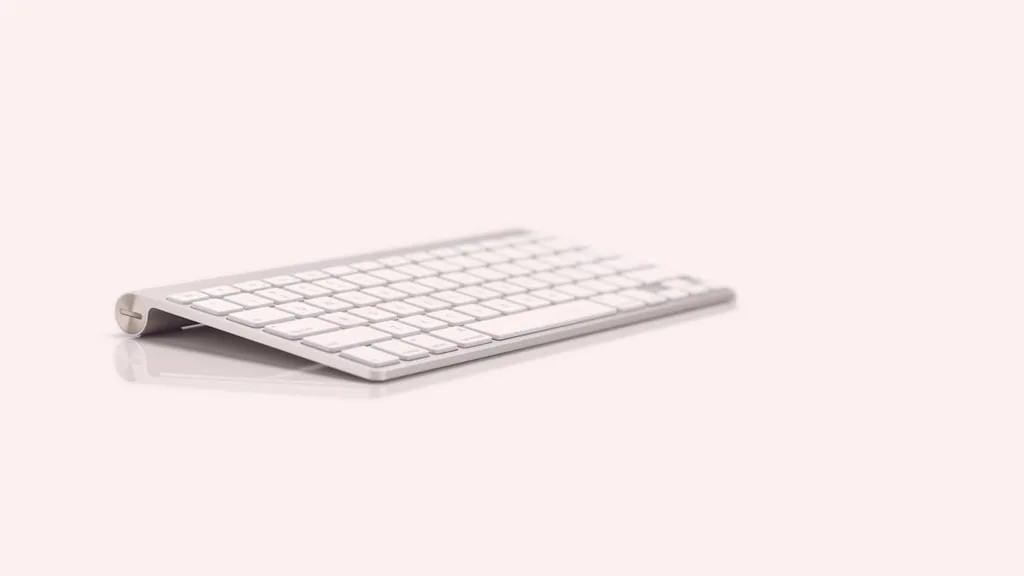
If your entire workflow lives in the Apple ecosystem, MacBook, iPad, iPhone, the Magic Keyboard is worth serious consideration. The keyboard has this minimalist elegance that actually works, pairing with your devices instantly and staying paired across all of them. The low-profile keys take some adjustment if you’re used to traditional keyboards, but once you settle in, they’re efficient. The design is nearly weightless and infinitely elegant, it doesn’t scream “work keyboard,” more like “I have my aesthetic together.” Battery lasts about a month, which is legitimately impressive. The main downside? It’s expensive, and if you’re not living in Apple’s ecosystem, this is a solution looking for a problem you don’t have.
Key Specs:
Weight: 239g | Battery: 1 month per charge | Connectivity: Bluetooth
Pros:
Instantly pairs with all Apple devices
Minimal, elegant design
Exceptional battery life (1 month)
Incredibly light and slim
Low-maintenance
Cons:
Expensive
Only worth it for Apple users
Low-profile keys take adjustment
USB-C port is for pairing and charging, Apple does not list wired typing
Keychron K3 Pro
Best Mechanical Option
The Keychron K3 Pro shows why mechanical keyboard enthusiasts get so passionate about their boards. This 75% layout keyboard delivers that satisfying click and tactile response that makes typing feel like a genuine activity rather than just hitting keys. The low-profile mechanical switches provide enough feedback that your fingers know exactly where they are. The build quality surprised us; it feels premium without being fragile. Keychron quotes around 100 hours of Bluetooth use with the backlight off, less with it on. The 75% layout is the sweet spot, you get function keys and a delete key without the right-side number pad bulk. Keychron hit the price-to-performance ratio perfectly here. If you’ve never typed on a mechanical keyboard and you’re skeptical, try this one. It might spoil you for laptop keyboards forever.
Key Specs:
Weight: 525g | Battery: around 100 hours (backlight off) | Connectivity: Bluetooth + USB-C cable
Pros:
Mechanical switches feel incredible
Excellent build quality for the price
75% layout balances features and size
Dual connectivity options
Highly customizable (software available)
Great value
Cons:
Mechanical keyboards are heavier
Audible key switches (louder than rubber dome)
Takes getting used to the layout change
Some people find mechanical switches too tactile
NuPhy Air75 V3
Best for Typing Feel
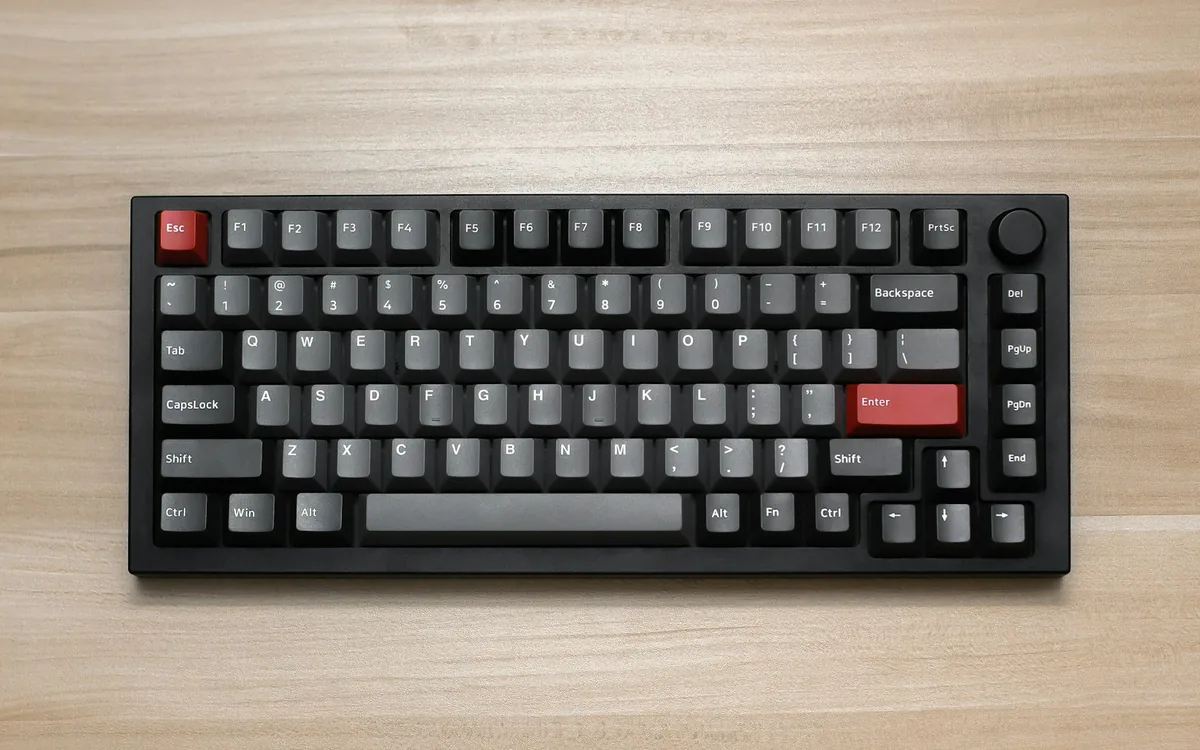
The NuPhy Air75 V3 has low-profile switches with a typing experience that’s somehow both tactile and smooth, like typing on a cloud that has structure. The build is thoughtfully designed; every element serves a purpose. NuPhy lists a 4000mAh battery and up to 1,200 hours of battery life. The 75% layout means you have function keys and arrow keys without going full-size. If you spend 6-8 hours a day typing while traveling, this keyboard is an investment in your wrists, your mood, and your productivity. It’s not the cheapest option, but the return on investment comes in the form of not developing that nagging wrist ache by month three of travel.
Key Specs:
Weight: not listed as text by NuPhy | Battery: 4000mAh, up to 1,200 hours (NuPhy figure) | Connectivity: 2.4GHz and Bluetooth 5.0
Pros:
Superior typing feel and tactile response
Excellent build quality
Hot-swappable switches
Rotary knob
Long battery life (4000mAh, up to 1,200 hours by NuPhy’s figure)
Thoughtful design details
Cons:
Low-profile switches (fewer replacement options than standard switches)
Higher price point than alternatives
Takes adjustment if coming from standard keyboards
NuPhy’s page does not list the weight as text, so check it on the listing
Less community support than mainstream brands
Logitech Pebble Keys 2 K380s
Best Budget Pick
The Logitech Pebble Keys 2 K380s is the successor to the Logitech K380. The old K380 is no longer available new on Amazon, so this is the one to look at if you want a slim, compact Bluetooth keyboard. Logitech lists scooped, low-profile keys and describes the typing as comfy and quiet. It pairs with up to 3 devices and you switch between them with the Easy-Switch keys (F1, F2, F3). It works with Windows, macOS, iPadOS, iOS, Android, ChromeOS and Linux, and the keycaps carry both Mac and Windows labels, so it suits a mixed setup of laptop, tablet and phone. It runs on 2 AAA batteries that come pre-installed, and Logitech quotes up to 36 months of battery life depending on use, so there is no charging cable to carry for it. No USB receiver is included, it connects over Bluetooth Low Energy, but it also works with a Logi Bolt receiver, sold separately. The main trade-offs are the disposable batteries and the weight: at 415 g it is heavier than the Magic Keyboard and the MX Keys Mini above.

Key Specs:
Weight: 415g | Battery: up to 36 months (2 AAA, pre-installed) | Connectivity: Bluetooth (up to 3 devices)
Pros:
Pairs with up to 3 devices (Easy-Switch keys)
Up to 36 months on 2 pre-installed AAA batteries (varies with use)
No charging needed
Works with Windows, macOS, iPadOS, iOS, Android, ChromeOS and Linux
Scooped, low-profile keys, described by Logitech as comfy and quiet
Top row of keys can be customized with the Logi Options+ app
Cons:
Disposable AAA batteries, not rechargeable
No USB receiver in the box (Logi Bolt receiver sold separately)
Logi Options+ customization only on Windows and macOS
415 g, heavier than the Magic Keyboard and the MX Keys Mini above
Key takeaways
- The Logitech MX Keys Mini is the best overall pick: backlit keys, multi-device pairing, a reasonable weight and a 10-day battery.
- In a travel keyboard, look for under 500 grams and a battery that lasts at least 5 to 7 days.
- The Keychron K3 Pro is the mechanical option, the Magic Keyboard suits the Apple ecosystem and the Pebble Keys 2 K380s is the budget pick.
- Typing feel is deeply personal, but it matters more than you think.

Our remote work setup
The gear guides we compare for working from cafes, coliving rooms and rentals:
Our Pick: The Keyboard That Changed Everything
After researching all of these, if we could only take one keyboard on a year-long trip, we’d choose the Logitech MX Keys Mini. Here’s why: it’s the closest to perfect without requiring you to compromise on something important. The backlit keys work in dark hostel rooms. The multi-device pairing means seamless switching between devices. The battery life is genuinely impressive. The weight is reasonable. The typing feel is satisfying without being noisy. And the price, while not budget, is fair for what you’re getting.
That said, the perfect keyboard is deeply personal. If you’re a mechanical keyboard enthusiast, the Keychron K3 Pro or Royal Kludge RK84 will give you that tactile satisfaction at a fraction of the cost of a premium option. If you’re exclusively in the Apple ecosystem, the Magic Keyboard disappears into your workflow. If you’re on a tight budget and don’t mind sacrificing some features, the Logitech Pebble Keys 2 K380s is legitimately solid. Choosing between Keychron and NuPhy? See Keychron vs NuPhy. Torn between the MX Keys Mini and a Keychron K3? See Logitech MX Keys Mini vs Keychron K3.
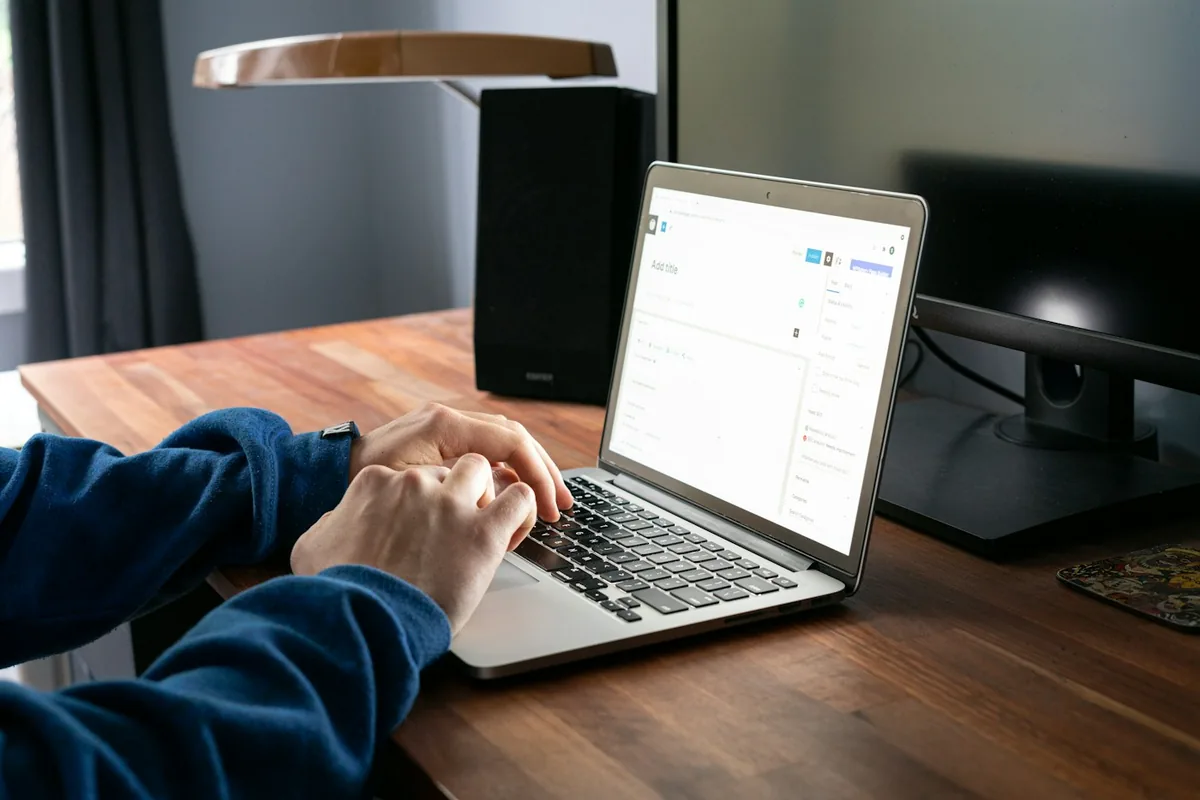
The most important thing is this: don’t skip this decision. Your keyboard is a tool you’ll use for thousands of hours while traveling. Spending an extra fifty dollars now to get something that makes you happy is one of the best investments you’ll make in your nomadic life.
Ready to upgrade your travel setup?
Every keyboard on this list is a solid pick for a different kind of nomad. Whether you go with the budget-friendly option or invest in a premium keyboard, you’re making your nomadic life better. If any of these keyboards sound like your match, check them out, and remember, the best keyboard is the one that gets you excited to start working each morning.
Happy typing from wherever you are in the world.
Want the full setup in one place? Grab the Free Digital Nomad Setup Guide.
The mouse is the other half of the hand work. Our guide to the best ergonomic mouse for the road lists vertical, trackball and compact picks.
Frequently Asked Questions
What is the best travel keyboard for digital nomads?
For most nomads we would start with the Logitech MX Keys Mini: backlit keys that light up as your hands approach, pairing with multiple devices, a weight of 395 g and a battery that lasts about 10 days on a charge over USB-C.
How light should a travel keyboard be, and how long should the battery last?
We look for under 500 grams, because you carry it daily through airports and cafes, and a battery that lasts at least 5 to 7 days so you are not hunting for a charger in a strange city.
What is the best mechanical keyboard for travel?
The Keychron K3 Pro is our mechanical pick: a 75% layout with low-profile mechanical switches, 525 g, and about 100 hours of Bluetooth use with the backlight off, according to Keychron. The NuPhy Air75 V3 is the other low-profile option, with hot-swappable switches and up to 1,200 hours of battery by NuPhy’s figure. NuPhy does not list the weight as text, so check it on the listing. Mechanical keyboards are heavier and louder than rubber dome ones.
What is the best budget travel keyboard?
The Logitech Pebble Keys 2 K380s. It pairs with up to 3 devices, runs on 2 AAA batteries that come pre-installed (Logitech quotes up to 36 months, depending on use), so there is no charging cable to carry. It weighs 415 g, and no USB receiver is included because it connects over Bluetooth.
Is the Apple Magic Keyboard a good travel keyboard?
If your workflow lives in the Apple ecosystem, yes. It weighs 239 g, pairs instantly with Apple devices and lasts about a month per charge. The trade-offs are the price and low-profile keys that take some adjustment, and the USB-C port is for pairing and charging, because Apple does not list wired typing.
The Nomad Toolkit
Tools We Recommend on the Road
These four cover the boring but essential parts of nomad life. These are the four we recommend first for most nomads:
- SafetyWing, monthly nomad insurance, subscribe once, keeps running as you move country to country
- Airalo, eSIM for 200+ countries, activate before you land, no more SIM card hunting
- Revolut, multi-currency account with real exchange rates, my daily card abroad
- DiscoverCars, best car rental prices worldwide, filter for automatic and unlimited km
Updated:
Affiliate disclosure. This post contains affiliate links. If you click and buy something, this site earns a small commission at no extra cost to you. Picks are based on published specs, independent reviews and manufacturer information, and we only recommend what we would use ourselves. As an Amazon Associate I earn from qualifying purchases. Read the full affiliate disclosure. Amazon and the Amazon logo are trademarks of Amazon.com, Inc. or its affiliates.
Your next step






One Comment