Best Portable WiFi Hotspots and Mobile Internet Solutions for 2026
As an Amazon Associate I earn from qualifying purchases. Some links on this page earn us a small commission, at no extra cost to you. Full disclosure.
Quick answer
For most nomads the GL.iNet Beryl AX is the pick among the best portable wifi hotspots for travel when you already have a local SIM: fast and shareable. Want it simple with global coverage out of the box? The Solis Hero Hotspot works in 140+ countries pay-as-you-go. On a budget? The TP-Link M7350 is the cheapest way in.
Our top picks
Quick Comparison
| Device | Speed | Battery | Best for | Shop |
|---|---|---|---|---|
| 4G LTE | Up to 18 hrs | Best Global Coverage | Get yours on Amazon | |
 | No battery | Best for Team Sharing | Get yours on Amazon | |
 | Up to 10 hrs | Best Performance | Get yours on Amazon | |
| See listing | No battery (USB powered) | Best Pay-as-you-go | Get yours on Amazon | |
| 4G LTE | About 8 hrs | Best Budget | Get yours on Amazon |

The Devices
1. Solis Hero Hotspot
Solis Hero Hotspot
Why it stands out
- Global coverage without commitment
- Pay-as-you-go pricing
- Up to 18 hours of battery, with a built-in power bank
- No SIM card needed, it connects to the strongest local network
- You can buy data before you travel or on arrival
The catch
- Upfront device cost is higher
- Pay-as-you-go is more expensive per GB than local SIM cards
- Battery life decreases in cold weather
Note: the Solis X, our earlier pick here, was no longer for sale as a new product on Amazon on 5 October 2026, so the button goes to the Solis Hero from the same maker (Solis, formerly Skyroam, now part of SIMO). SIMO lists it as a 4G hotspot for 140+ countries with 1GB of free data per month. Check current plan prices on their site.
The Solis Hero is a portable 4G hotspot that works in 140+ countries with global data coverage and connects up to 10 devices. You pay only for what you use, no contracts, no monthly plans unless you want them. This is the perfect device for people who need to work everywhere.

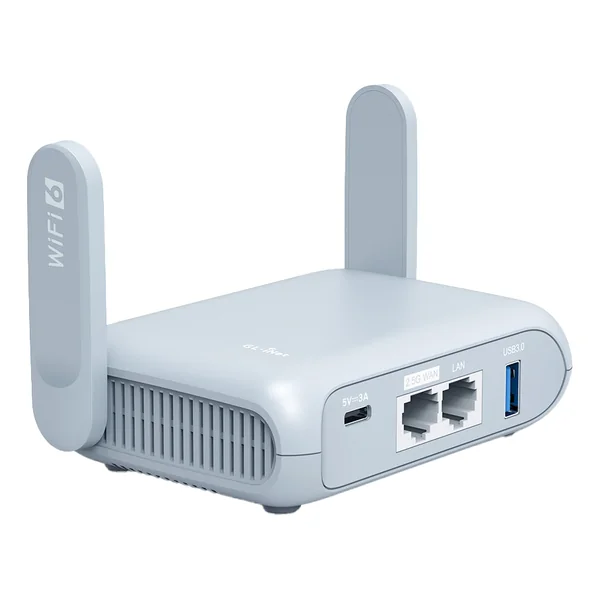
2. GL.iNet Beryl AX
GL.iNet Beryl AX
Why it stands out
- Tiny and lightweight
- WiFi 6 is blazing fast
- Can extend the range of any USB modem
- Excellent for sharing internet with team members
- Open-source OpenWrt system is customizable
The catch
- No built-in battery, needs USB-C power
- Needs an internet source: hotel or cafe WiFi, a phone hotspot or a USB modem
- Setup can be technical
Speed: WiFi 6 AX3000 (up to 2402 Mbps on 5GHz) | Battery: none, USB-C powered
This is not a traditional mobile hotspot, it's a compact WiFi router that connects to any USB modem or mobile device's hotspot. Plug in a USB modem (like Huawei E3372 with a local SIM), and suddenly you have a professional-grade travel WiFi network.

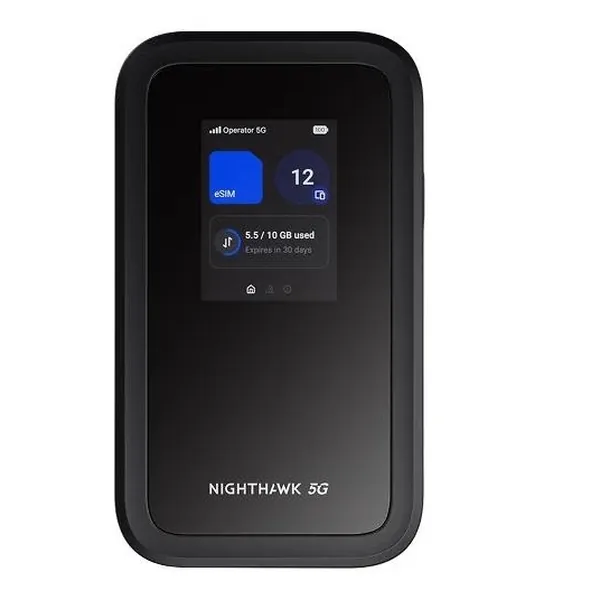
3. Netgear Nighthawk M7
Netgear Nighthawk M7
Why it stands out
- 5G with WiFi 7, up to 3.6 Gbps WiFi speed
- Connects up to 32 devices
- Up to 10 hours of battery life
- eSIM and SIM, with NETGEAR eSIM plans in 140+ countries
- USB-C, with an Ethernet adapter sold separately
The catch
- Expensive
- Wired Ethernet needs a separate adapter
- Requires 5G network access (not available everywhere)
- Battery life is up to 10 hours
Speed: 5G (up to 2.5 Gbps) | Battery: 5,040 mAh (up to 13 hrs)
The Nighthawk M7 is overkill for most travel situations, but if you need absolute cutting-edge speed and reliability, this is it. It's a 5G WiFi 7 hotspot that connects to the fastest mobile networks available, and NETGEAR rates its WiFi speed at up to 3.6 Gbps. Perfect for people doing video production, heavy uploads, or just demanding work.

4. Solis Tag
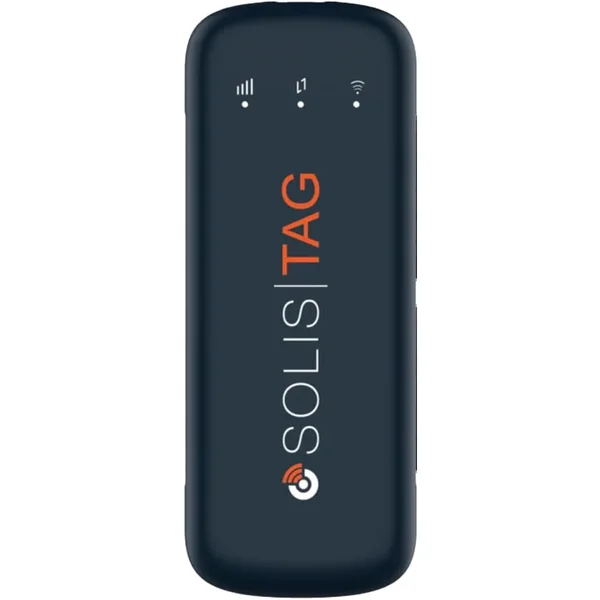
Solis Tag
Why it stands out
- Pay-as-you-go global data
- No SIM card needed
- 1GB of data every month for free
- No battery to charge, it runs from a USB port
The catch
- It has no battery, so it needs a laptop, power bank or other USB power
- Pay-as-you-go data costs more per GB than a local SIM card
Note: the Solis Lite, our earlier pick here, was no longer for sale as a new product on Amazon on 5 October 2026, so the button goes to the Solis Tag from the same maker. SIMO lists it as a USB-powered device with 1GB of data per month for life and 30GB of global data (valid for 30 days) in the box.
Solis Tag works with global data and includes 1GB for free every month, so you only pay for more when you need it. This is brilliant if you're mixing cafe work with hostels that have WiFi. Use the Solis Tag as your backup when you need it.
5. TP-Link M7350
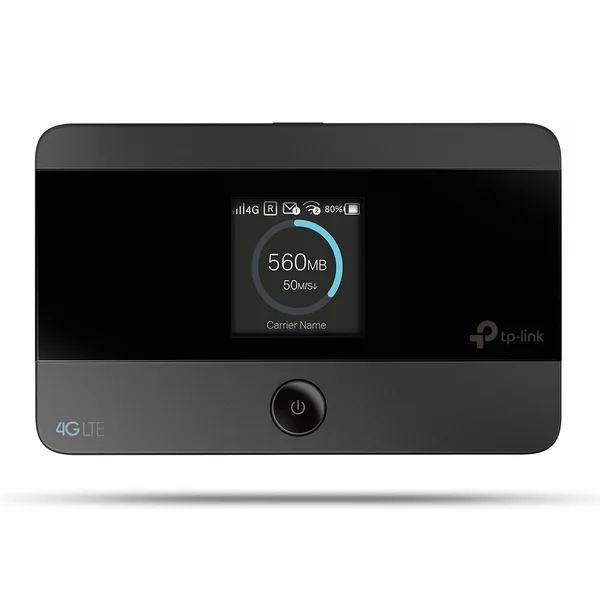
TP-Link M7350
Why it stands out
- 4G LTE up to 150 Mbps
- Connects up to 10 devices
- About 8 hours of battery (TP-Link lists 8 to 10 hours, depending on version)
- microSD slot for shared files
The catch
- 4G speeds aren't as fast as 5G
- Not the fanciest design
- No hourly billing option
Speed: 4G LTE (up to 150 Mbps) | Battery: about 8 hrs (TP-Link lists 8 to 10 hrs depending on version)
The TP-Link M7350 is the budget-friendly workhorse of portable hotspots. It's reliable, affordable, and works well. Not the flashiest, but it gets the job done. Perfect if you're buying a device for the first time and want to keep costs down.
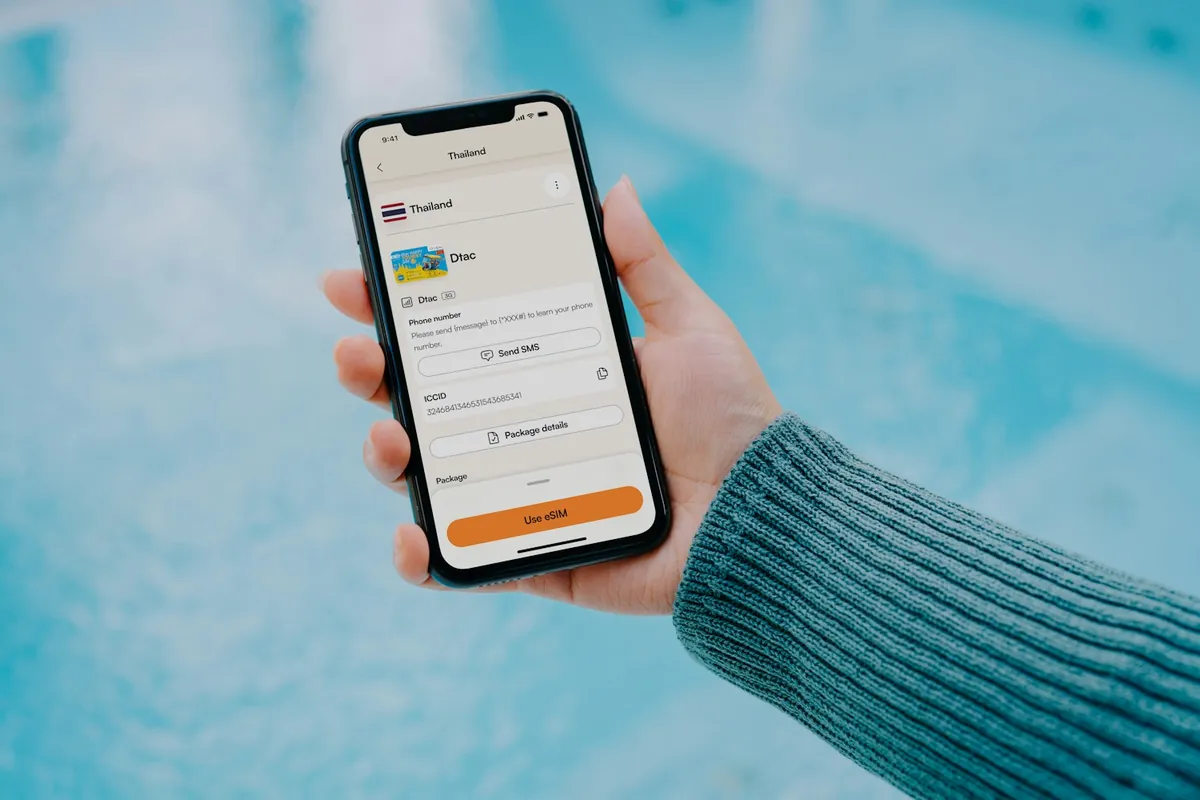
eSIM Solutions: The Future
eSIMs are digital SIM cards. No physical card needed. You buy data plans through an app and activate them instantly in any country. This is genuinely game-changing for travelers. Here are the top eSIM providers:
Airalo
Coverage: 200+ countries and regions. Country plans start from about $4 (Sept 2026). You can activate before you travel or on arrival. The app is intuitive and fast.
Best for: Budget travelers who want flexibility. Works with any eSIM-capable phone.
Holafly
Coverage: 200+ destinations, with unlimited data plans.
Best for: People who want unlimited data plans. Works seamlessly with eSIM phones.

Holafly
Code NOMADSTOOLSLAB gives 5% off at checkout.
Choosing Your Setup
So which setup should you choose? It depends on your travel style:
Budget Traveler
Get a cheap USB modem (Huawei E3372) with local SIM cards in each country. Pair with the GL.iNet Beryl AX router for a network you can share. Total cost: the hardware once, then ~$5-10 per country for data.
Convenience-First Traveler
Get the Solis Hero. Pay for global data plans and never think about SIM cards again. Higher cost per GB, but zero hassle. Worth it if your time is valuable and you move between countries frequently.
Performance-Focused Traveler
Get the Netgear Nighthawk M7 for maximum speed and reliability. Combine with local SIM cards or eSIM plans like Airalo. Best if you're doing heavy downloads, uploads, or video calls.

Why this matters
Never be stuck without internet again: the complete guide to staying connected anywhere
A Zoom call from a mountain village is possible with a portable WiFi hotspot and a local SIM card from the airport.
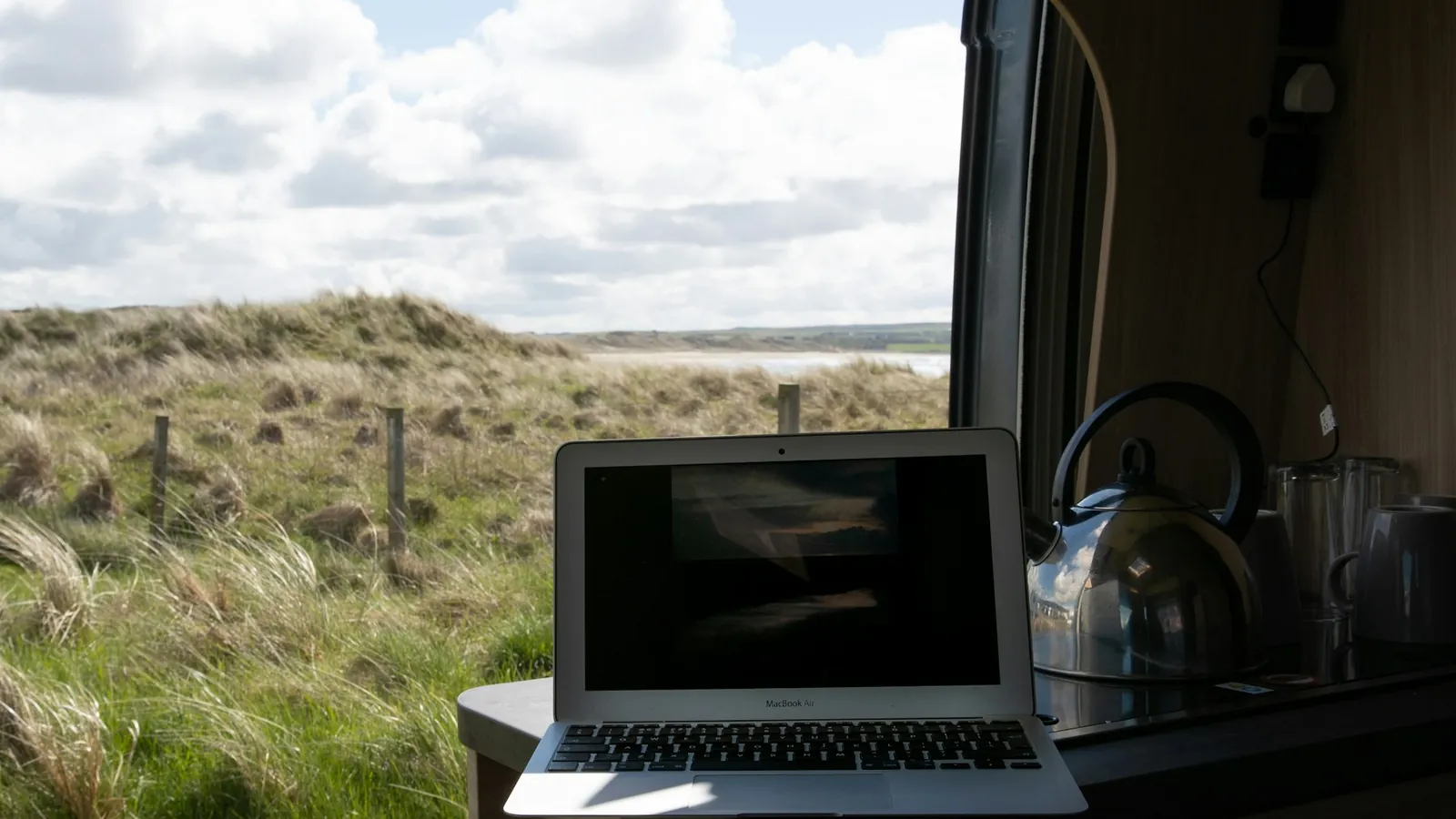
This is the reality of modern digital nomad life. Cafe WiFi is unreliable. Hostel internet is often unusable. But with the right portable hotspot and internet solution, you're never truly offline. You work from beaches, mountains, buses, trains, anywhere.
Heading to a remote crag? Our guide to climbing while traveling covers what to carry and where to climb.
Here's a guide to staying connected while traveling.
Pro Tips for Internet on the Road
Always have a backup: Keep two ways online, for example a hotspot and an eSIM-capable phone. If one fails, you are not offline.
Test before you need it: Always test internet before starting important calls or uploads.
Download offline: Download maps, documents, and files before you lose WiFi. Google Docs has offline mode.
Use VPN: Always use a quality VPN when working on public WiFi networks. Protects your data and privacy.
Schedule uploads: Large file uploads should happen during off-peak hours when internet is less congested.

Our remote work setup
The gear guides we compare for working from cafes, coliving rooms and rentals:
The Bottom Line
Internet is no longer the limiting factor for digital nomads. With the right device and data plan, you can work from anywhere in the world. The question isn't 'Will I have internet?' anymore. It's 'Which setup works best for my travel style?'
Get the infrastructure right, and you're free to work from mountains, beaches, buses, and tiny villages. That's the real nomad dream.
Updated:
For remote stretches with no mobile coverage, see our Starlink Mini vs Standard comparison. On hotel and cafe wifi, a VPN adds a layer of protection: see our NordVPN vs ExpressVPN vs Proton VPN comparison.
Affiliate disclosure. This post contains affiliate links. If you click and buy something, this site earns a small commission at no extra cost to you. Picks are based on published specs, independent reviews and manufacturer information, and we only recommend what we would use ourselves. As an Amazon Associate I earn from qualifying purchases. Read the full affiliate disclosure. Amazon and the Amazon logo are trademarks of Amazon.com, Inc. or its affiliates.
Your next step