

Best VPN for Digital Nomads (2026 Guide)
Some links on this page earn us a small commission, at no extra cost to you. Full disclosure.
Quick answer
Looking for the best VPN for digital nomads? If you only pick one, pick NordVPN: the best all-rounder, fast, reliable, and it just works. Pick PIA if you are on a budget, ExpressVPN if streaming is your priority, Mullvad if privacy is your religion, and ProtonVPN if you want to start free.
Checked on 5 October 2026 on the PIA, ExpressVPN, Mullvad and Proton VPN websites (server and country counts, prices, devices). NordVPN's website blocked our check, so its figures are still as of January 2026.
Our pick

NordVPN
Fast on NordLynx, works on six devices at once and covers the everyday nomad case Read more
From the road: I use Windscribe as my VPN, and in all my years abroad my bank or a website has never blocked me for logging in from another country.
Why Cafe WiFi Is a Real Risk
Checking your bank account on free cafe WiFi feels normal and safe. It often isn't.
On an unencrypted network, someone with basic skills can try to sniff login details. That is the risk a VPN takes away.
This guide compares VPNs on what matters for remote work: safety, speed and stable connections.
It is an honest take on the best VPNs for people who work from anywhere and need both security and speed.

Why Every Digital Nomad Needs a VPN
We get asked this constantly: "If I'm not doing anything illegal, why do I need a VPN?" Fair question. Here's the thing, a VPN isn't about hiding from the government. It's about three very practical problems that nomads face constantly:
Security on Public Wifi
Coffee shop wifi, airport networks, hotel connections, they're all basically broadcasting your data in the clear. Someone can literally intercept your login credentials, see what you're typing, or hijack your session. A VPN encrypts all of this. This isn't theoretical, it matters for your business.

Using AI chat tools on shared wifi? Our guide to the best AI tools for digital nomads has a section on privacy and backups.
Accessing Services from Anywhere
Your home country's banking portal might block you when you're in Thailand. Your company's intranet might be geo-restricted. Netflix might only have half its catalog in your current location. A VPN lets you appear to be in a different country, which means you can access everything you could access from home.

From the road
My own VPN is Windscribe. I mostly need it in Asia, where a lot of sites and services are blocked. For money, Revolut does everything I need, we love Revolut and Stripe. And in all these years my bank or a website has never blocked me.
Privacy from Your ISP and Governments
Some countries don't take kindly to certain websites. Some ISPs throttle certain traffic. A VPN hides your browsing from your ISP and makes it harder for governments to track your activity. Is this important to everyone? No. But if you're traveling to sensitive countries or dealing with restrictive networks, it's essential.
The Best VPNs for Digital Nomads
NordVPN
Best Overall VPN for Nomads
NordVPN is a strong default for digital nomads. When you are constantly moving between cafes, airports and coworking spaces, you need a VPN that just works. NordVPN delivers exactly that kind of reliability.
Its server network is large, with 8,000+ servers (as of January 2026), so you rarely get stuck on a busy server. They also have dedicated servers for things like P2P and specialized use cases, which shows they're thinking about real user needs, not just selling privacy theater.
What really matters when you're nomading is the speed. NordVPN's NordLynx protocol (their tweaked version of WireGuard) actually feels faster than using no VPN at all in many cases.
Specifications:
| Feature | Details |
|---|---|
| Servers | 8,000+ servers |
| Speed | Very fast (NordLynx protocol) |
| Devices | Multiple devices per account (check current plan) |
| Router Support | Yes, excellent |
| Price | Check current deals (cheapest on 2-year plans) |
Pros:
- Fast NordLynx (WireGuard-based) protocol
- Excellent server coverage in nomad hotspots (Thailand, Mexico, Portugal)
- Rock-solid reliability, minimal disconnects
- Great router setup documentation
- Strong privacy policy, no-logs verified
Cons:
- Slightly pricier than budget options
- Apps can feel a bit bloated with features
- Kill switch sometimes acts oddly on mobile
Private Internet Access (PIA)
Best Budget VPN (Unlimited Devices)
PIA is built for exactly this situation: covering an entire digital nomad setup on a tight budget. One feature stands out immediately: unlimited simultaneous connections on a single account. Laptop, phone, tablet, whatever else needs a secure connection, all at once. For anyone managing multiple devices or a small team, that alone removes a real cost problem other VPNs charge extra for.
The speeds hold up well against the competition thanks to 10-Gbps NextGen servers and support for WireGuard, PIA's own reported protocol of choice for speed. It is not marketed as the single fastest VPN on the market, but it is more than enough for 4K streaming, video calls, and everyday browsing across a server network in 104 countries.
What stands out about PIA is how little there is to configure. Open the app, connect, your traffic is encrypted. It ships with a no-logs policy, a kill switch, and MACE, a built-in ad and malware blocker most competitors charge extra for or leave out entirely.
Specifications:
| Feature | Details |
|---|---|
| Servers | Thousands of servers in 104 countries |
| Speed | Solid (WireGuard and OpenVPN) |
| Devices | Unlimited simultaneous connections |
| Router Support | Yes, good documentation |
| Price | $2.03/month (3-year plan) |
Pros:
- Unlimited simultaneous connections on one account
- Excellent budget pricing on longer plans
- Good speed performance overall
- Reliable kill switch implementation
- Ships with built-in ad blocker and malware protection (MACE)
Cons:
- Not quite as fast as NordVPN on speed tests
- Monthly plan is much pricier than the multi-year deal
- Based in the US, which some privacy-focused nomads prefer to avoid
ExpressVPN
Best for Streaming & Unblocking
If you're traveling and you want to watch your home country's streaming services (Netflix US, BBC iPlayer, German Mediathek, whatever), ExpressVPN has a strong reputation for unblocking streaming services.

Here's the thing about ExpressVPN: they've invested heavily in staying ahead of detection systems. Their MediaStreamer feature is genius, it's a DNS option that bypasses some geoblocking without even using VPN encryption, which means truly ridiculous speeds for streaming. For nomads who care about not being blocked, this matters.
The trade-off is that ExpressVPN is pricier than most, and their speeds aren't the absolute fastest (they use their own Lightway protocol, which prioritizes stability over maximum speed). But the unblocking capability is unmatched.
The price to watch is the renewal: on expressvpn.com (checked 5 October 2026) the Advanced plan at $4.49 a month is billed as $125.72 for the first 28 months and then $119.95 a year. The Basic plan ($2.99 a month) covers 10 devices, Advanced 12 and Pro 14.

Specifications:
| Feature | Details |
|---|---|
| Servers | Servers in 113 countries |
| Speed | Very good (Lightway protocol) |
| Devices | 10 to 14 devices depending on plan |
| Router Support | Yes, excellent |
| Price | Advanced plan $4.49/month on a 2-year deal (Sept 2026) |
Pros:
- Best streaming unblocking performance
- Consistently reliable connection
- Excellent customer support
- MediaStreamer feature for super-fast streaming
- Trusted by serious privacy advocates
Cons:
- Most expensive of major providers
- Plan structure (Basic, Advanced, Pro) takes a minute to compare
- Speeds can vary more than competitors
- 30-day money-back guarantee (not forever)
Mullvad VPN
Best Privacy (No Account Needed)
Mullvad is the VPN for people who are genuinely paranoid about privacy (and we mean that in the best way). They literally don't want your email address. You don't create an account. You just download, get an account number, and vanish. It's weird and refreshing all at once.

Mullvad is very transparent. They publish their entire security audit, their no-logs policy held up when Swedish police came with a search warrant in 2023 and found no customer data to take, and their apps are open-source.
The trade-off: speeds aren't elite, and they have fewer servers than other options. But if you're in a situation where you need absolute privacy, maybe you're a journalist or activist, Mullvad doesn't ask questions. They can't track you because they don't know who you are.

Specifications:
| Feature | Details |
|---|---|
| Servers | 566 servers in 50 countries |
| Speed | Good (WireGuard) |
| Devices | Up to 5 devices |
| Router Support | Technical documentation available |
| Price | EUR 5/month (flat fee) |
Pros:
- No email signup required, true anonymity
- Verified no-logs policy
- Open-source and audited
- Flat fee pricing, no upsells
- Extremely ethical company
Cons:
- Fewer servers than major competitors
- Speed is decent but not elite
- No-frills interface, minimal customer support
- Less optimized for unblocking streaming
ProtonVPN
Best Free Option (Swiss Privacy)
ProtonVPN is backed by Proton, the company behind ProtonMail. If you're already in the Proton ecosystem and you want a free VPN option, this makes sense. It's actually one of the only reputable free VPNs we'd recommend, because the company has a real business model (paid plans, ProtonMail subscriptions) and isn't in the business of selling your data.
The free tier has no data limit and no ads, but you get one device, a limited choice of countries and medium speeds. It's not ideal for daily use, but it's genuinely useful for emergency situations, like when you're at a cafe and want to quickly check your banking without broadcasting your credentials on open wifi.

If you upgrade to a paid plan, ProtonVPN becomes competitive with the others. The main advantage is that everything is hosted in Switzerland, which means strong privacy laws and zero government backdoor pressure.
Specifications:
| Feature | Details |
|---|---|
| Servers | 20,000+ servers in 140+ countries (paid) |
| Speed | Good (Secure Core and VPN over Tor) |
| Devices | Free: 1 device | Paid: up to 10 |
| Router Support | Available on paid plans |
| Price | Free tier | paid plans (check current price) |
Pros:
- Legitimately good free tier (rare)
- Swiss privacy jurisdiction
- Works well with ProtonMail
- Paid plans very affordable
- No-logs policy, verified
Cons:
- Free tier limited (1 device, limited countries)
- Free plan runs at medium speed
- Not as many features as premium competitors
- Smaller paid user base
VPN Comparison Table
| VPN | Best For | Price | Devices | Servers |
|---|---|---|---|---|
| NordVPN | Overall | See deals | Several | 8,000+ |
| Private Internet Access | Budget | $2.03/mo | Unlimited | 104 countries |
| ExpressVPN | Streaming | $4.49/mo | 10-14 | 113 countries |
| Mullvad | Privacy | EUR 5/mo | 5 | 566 |
| ProtonVPN | Free Tier | Free/$4.99 | 1-10 | 20,000+ (paid) |
Pro Tip: Setting Up a VPN on Your Travel Router
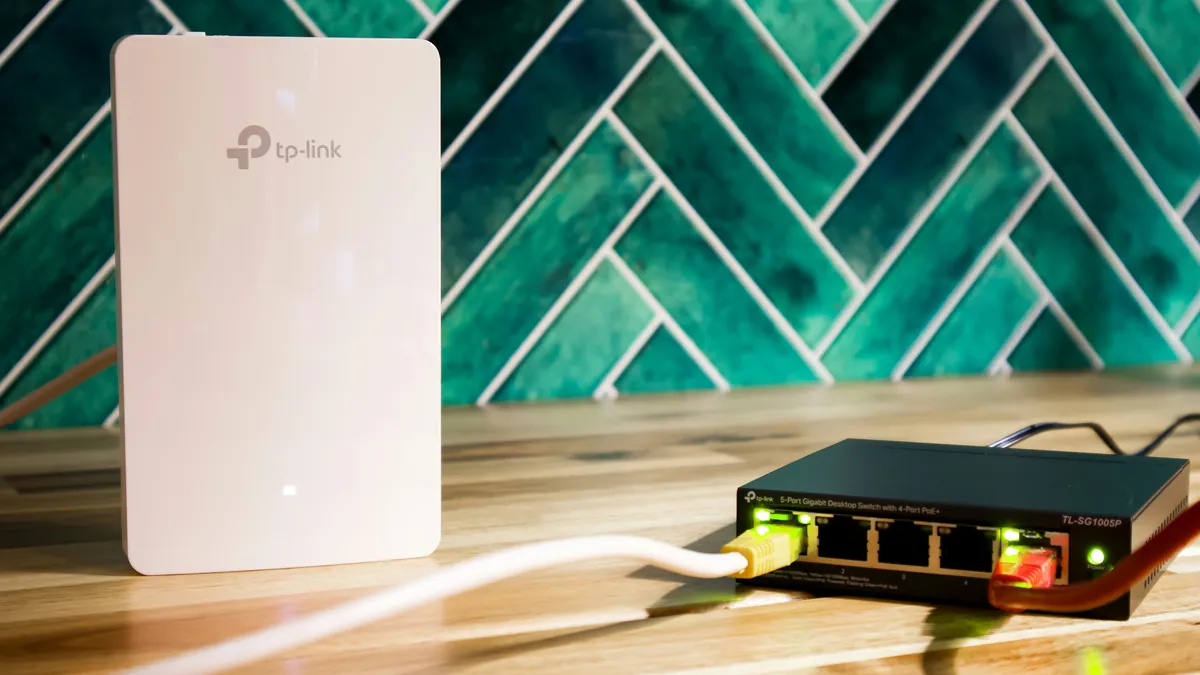
A tip worth knowing: set up a VPN directly on your travel router. If you carry a portable WiFi router (many nomads do), you can run a VPN on the router itself. This means every device that connects to your router automatically gets VPN protection. Your phone, laptop, tablet, all encrypted without needing individual apps.
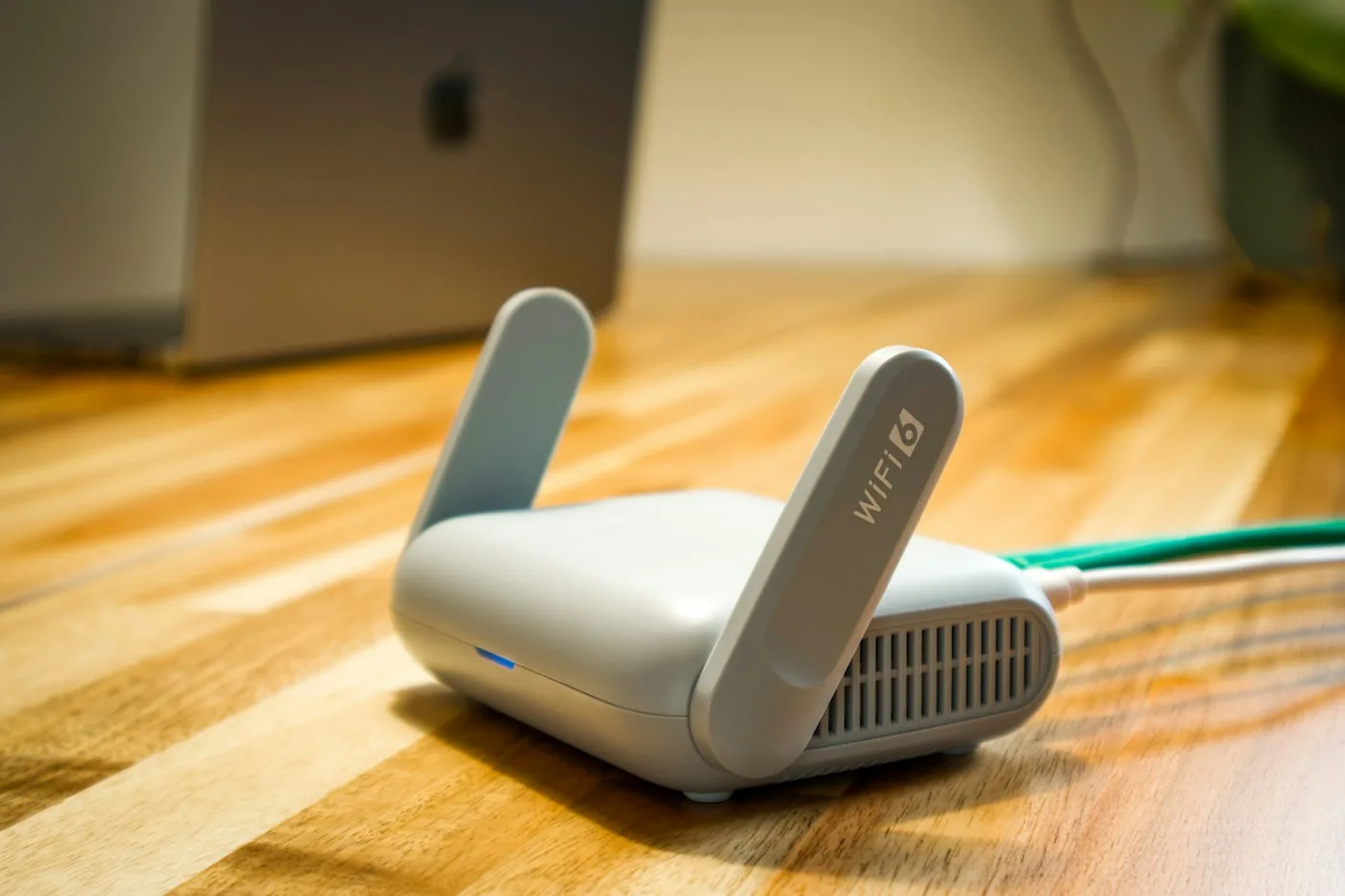
The best VPNs for this are NordVPN and ExpressVPN,they have the clearest documentation and the best router apps. PIA also works well. The setup takes maybe 15 minutes. You log into your router's admin panel, find the VPN settings, choose a server location, and enable.
Why would you do this? Three reasons: (1) It's faster because your devices don't all compete for connections to different VPN servers, (2) It works with IoT devices and streaming equipment that don't have VPN apps, (3) It's seamless, you forget the VPN is even running.
FAQ: VPN Questions Nomads Always Ask
1. Will a VPN slow down my internet?
Maybe a little. A good VPN will only slow you down 5-10%. A bad one might cut your speeds in half. NordVPN and ExpressVPN are among the fastest. The trade-off is worth it for security and access.
2. Is it legal to use a VPN?
Yes, in almost every country. VPNs are legal in the US, EU, Canada, Australia, and most of the world. A few countries (China, Russia, UAE) restrict VPNs, but even there it's not enforced against tourists. Just don't use a VPN for illegal activity, that's... still illegal.
3. Can my employer see what I'm doing on their network with a VPN?
Not if you're using your own VPN service. But if they've installed their own proxy or monitoring software, they can see everything. If you're using a company VPN they gave you, they can definitely see your activity. A personal VPN is just for your own privacy.
4. Will a VPN let me unblock Netflix from other countries forever?
Probably not forever. Streaming services constantly update their detection. ExpressVPN is best at staying ahead of this, but even they occasionally get blocked. It's an ongoing arms race.

5. Which VPN should I choose if I'm only traveling for a month?
Get a monthly subscription and test one of the big three (NordVPN, ExpressVPN, PIA). They all have good monthly plans. ExpressVPN if streaming is a priority. NordVPN if you want speed and stability.
6. What does a VPN really cost, and what happens when the cheap plan ends?
Checked on 5 October 2026: PIA lists $2.03 a month on its 3-year plan plus 3 months, and $11.95 a month on the standard monthly plan. ExpressVPN Advanced is $4.49 a month for the first 28 months, then $119.95 a year. Mullvad is a flat EUR 5 a month whether you pay for one month or ten years. The big discounts are for the long first term, so look at the renewal price before you pay.
7. Is there a money-back guarantee?
Yes, on the three we checked: ExpressVPN and PIA both list 30 days for new subscribers, and Mullvad lists 14 days (not for cash payments). Test the VPN on the networks you actually use inside that window.

- NordVPN is the best all-rounder: fast on its NordLynx protocol, reliable, and 8,000+ servers (as of January 2026).
- Private Internet Access is the budget pick, with unlimited simultaneous connections on one account.
- ExpressVPN is best for streaming and unblocking, and the most expensive of the major providers.
- Mullvad is for privacy: no email signup, and a flat price of EUR 5 a month.
- ProtonVPN has a free tier with one device, a limited choice of countries and medium speeds.
- On public wifi a VPN encrypts your traffic. Set it up on a travel router and every device that connects is covered.
The Verdict
The short version: If you only pick one, pick NordVPN. It's the best all-rounder. Fast, reliable, affordable, and it just works.
But if you know what you want, there's a better option for everyone: PIA if you're on a budget, ExpressVPN if streaming is your priority, Mullvad if privacy is your religion, and ProtonVPN if you want to start free.
The most important thing? Just pick one. A cheap, reliable VPN beats no VPN every single time.

Updated:
Affiliate disclosure. This post contains affiliate links. If you click and buy something, this site earns a small commission at no extra cost to you. Picks are based on published specs, independent reviews and manufacturer information, and we only recommend what we would use ourselves. As an Amazon Associate I earn from qualifying purchases. Read the full affiliate disclosure.
Your next step

 See the full setup guide
3 Comments