Boox vs Kindle: Which E-Reader Is Better for Travel?
As an Amazon Associate I earn from qualifying purchases. Some links on this page earn us a small commission, at no extra cost to you. Full disclosure.
Boox vs Kindle is a choice between an Android e-ink tablet and a locked-down reading device. The BOOX Go Color 7 (Gen II) lists a 7 inch color screen, Android 13 with Google Play, 64 GB plus a microSD slot and physical page-turn buttons. The Kindle Paperwhite lists a 7 inch black-and-white screen, IPX8 water protection and up to 12 weeks of battery. We read the BOOX page and both Amazon pages on 9 October 2026.
Quick answer
Checked on 9 October 2026. Pick the Kindle Paperwhite if your books come from Amazon and you want a waterproof reader with the longest battery and no setup. Pick the BOOX Go Color 7 (Gen II) if you read from more than one store or a library, side-load comics and PDFs, want page-turn buttons and color, or want an Android tablet that happens to use e-ink.
Both, with a buy button each
BOOX Go Color 7 (Gen II) E Ink Tablet
Lists a 7 inch color screen, Android 13 with Google Play, 4 GB RAM and 64 GB plus microSD. Read more
Amazon Kindle Paperwhite 16GB (2024 model)
Lists a 7 inch screen, IPX8, up to 12 weeks of battery and the Kindle Store. Read more
How we compared them
The NomadsToolsLab team read the BOOX Go Color 7 (Gen II) page and the Amazon pages for the Kindle Paperwhite and the Kindle Colorsoft end to end on 9 October 2026, and checked each one with a US address. What surprised us: BOOX's own page says the stylus is not in the box and describes the Go 7 series as water-repellent, not waterproof, and the Amazon listing, sold by BOOX Official, itself warns that color e-ink looks darker and grayer than a phone screen.
Nathan Groezinger at The eBook Reader put the 2024 Paperwhite next to the black-and-white Go 7 in June 2025. He found the Kindle's front light more natural and its software a little smoother, and the BOOX far more customizable, with buttons, a speaker, a microSD slot and text-to-speech. Dan at One Man Book Club compared the Go Color 7 (Gen II) with the Kindle Colorsoft the same month: he found the Kindle's color sharper and the ghosting on the BOOX distracting, yet he liked its open Android system and its buttons. MrGadget, who bought the Colorsoft, a Kobo and the Go Color 7 (Gen II) with his own money and recorded in August 2026, found the BOOX's color the most saturated of the three and told readers with all their books on Amazon to buy the Kindle.
Our reading: the Kindle is the better pure reader and the BOOX is the better tool. Every number in the table comes from the makers' own pages.


Boox vs Kindle at a glance
| BOOX Go Color 7 (Gen II) | Kindle Paperwhite (2024) | Kindle Colorsoft (2024) | |
|---|---|---|---|
| Screen (maker) | BOOX Go Color 7 (Gen II): 7 in Kaleido 3 color, 4096 colors | Kindle Paperwhite (2024): 7 in black and white, 300 ppi | Kindle Colorsoft (2024): 7 in color display |
| Resolution (maker) | BOOX Go Color 7 (Gen II): 1680 x 1264: 300 ppi black and white, 150 ppi color | Kindle Paperwhite (2024): 300 ppi | Kindle Colorsoft (2024): 300 ppi black and white, 150 ppi color |
| Software (maker) | BOOX Go Color 7 (Gen II): Android 13 with Google Play | Kindle Paperwhite (2024): Kindle software, Kindle Store | Kindle Colorsoft (2024): Kindle software, Kindle Store |
| Storage (maker) | BOOX Go Color 7 (Gen II): 64 GB plus microSD slot | Kindle Paperwhite (2024): 16 GB | Kindle Colorsoft (2024): 16 GB |
| Page-turn buttons | BOOX Go Color 7 (Gen II): Yes, plus a power button | Kindle Paperwhite (2024): None listed | Kindle Colorsoft (2024): None listed |
| Stylus | BOOX Go Color 7 (Gen II): InkSense or InkSense Plus, sold separately | Kindle Paperwhite (2024): No | Kindle Colorsoft (2024): No |
| Water (maker) | BOOX Go Color 7 (Gen II): Water-repellent, no waterproof rating | Kindle Paperwhite (2024): IPX8 | Kindle Colorsoft (2024): Listed as waterproof |
| Battery (maker) | BOOX Go Color 7 (Gen II): 2,300 mAh, no weeks figure on the page we read | Kindle Paperwhite (2024): Up to 12 weeks | Kindle Colorsoft (2024): Up to 8 weeks |
| Weight (maker) | BOOX Go Color 7 (Gen II): About 195 g | Kindle Paperwhite (2024): 211 g | Kindle Colorsoft (2024): Not on the page we read |
The Kindle battery lines are Amazon's up-to claims. BOOX lists no weeks figure.
1. BOOX Go Color 7 (Gen II): the open one
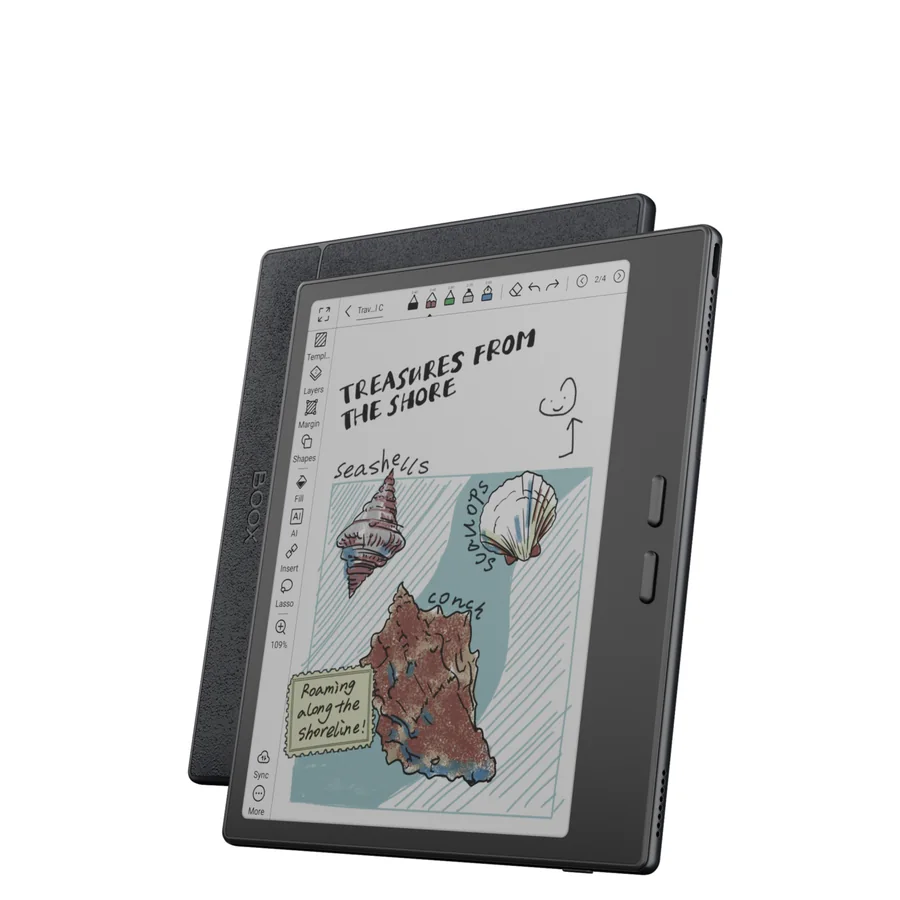
BOOX Go Color 7 (Gen II) E Ink Tablet
On BOOX's page the Go Color 7 (Gen II) has a 7 inch Kaleido 3 color ePaper screen with 4096 colors, a resolution of 1680 x 1264 (300 ppi in black and white, 150 ppi in color), an octa-core processor, 4 GB of RAM, 64 GB of storage and a microSD slot. It runs Android 13 with the Google Play Store, has Wi-Fi and Bluetooth 5.1, a front light with warm and cold settings, power and page-turn buttons, a speaker and a microphone. It weighs about 195 g and is 6.4 mm thin. BOOX gives a one-year warranty and 10 GB of free cloud storage.
BOOX is open about the catch. The stylus is not in the box, handwriting needs the latest firmware, the front light "may generate a tiny side shadow", and the Go 7 series is water-repellent rather than waterproof. The Amazon listing adds that color e-ink looks darker and grayer than a phone or tablet screen. The listing was in stock on 9 October, sold by BOOX Official, with 500+ bought in the past month and a rank of #217 in Computer Tablets.
Testers disagree on the color. Dan found the Kindle Colorsoft much sharper and the BOOX grainier and darker, and ghosting between pages distracting. MrGadget found the BOOX the most saturated of the three color readers he bought. Both agree the BOOX needs more tuning of the e-ink refresh settings than a Kindle does, which Dan calls a learning curve.

2. Kindle Paperwhite: the simple one
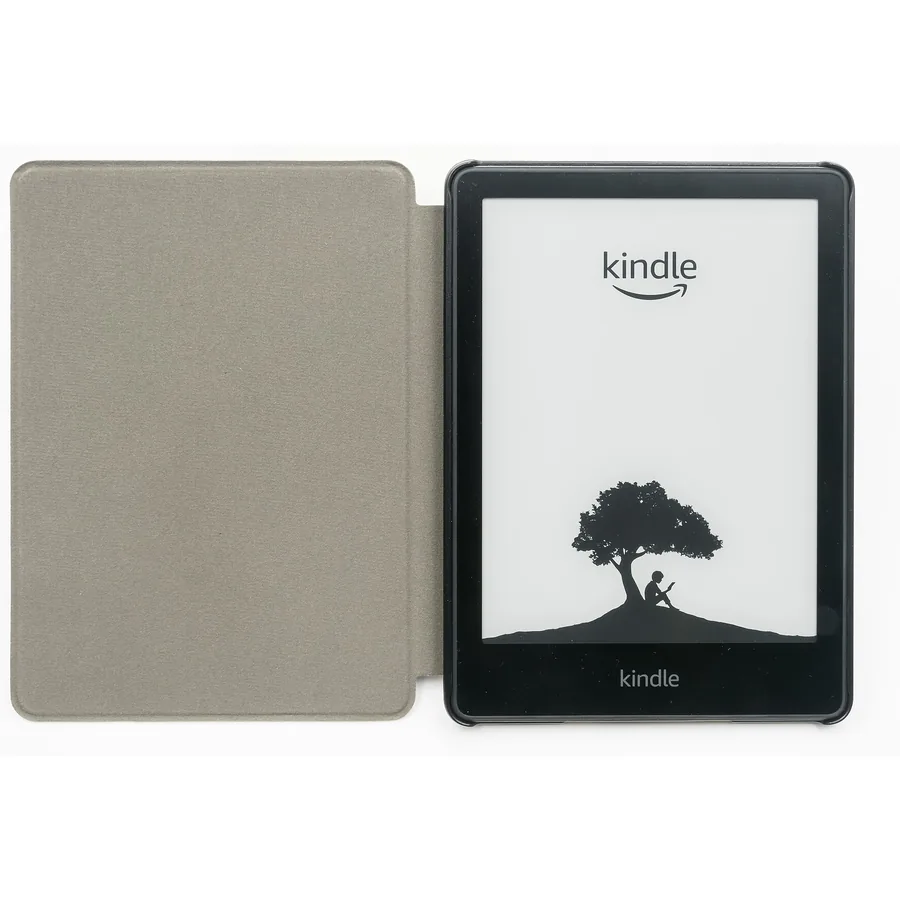
Amazon Kindle Paperwhite 16GB (2024 model)
The Kindle Paperwhite 16 GB (2024 model) is sold by Amazon. Its listing says the 7 inch display has a higher contrast ratio and 25% faster page turns than the previous generation, that one USB-C charge lasts up to 12 weeks and that the light goes from white to amber. It lists IPX8, 16 GB, Audible over Bluetooth and access to over 15 million titles in the Kindle Store. Amazon's compare table lists no writing capability and no pen. On 9 October it was in stock, with 10K+ bought in the past month.
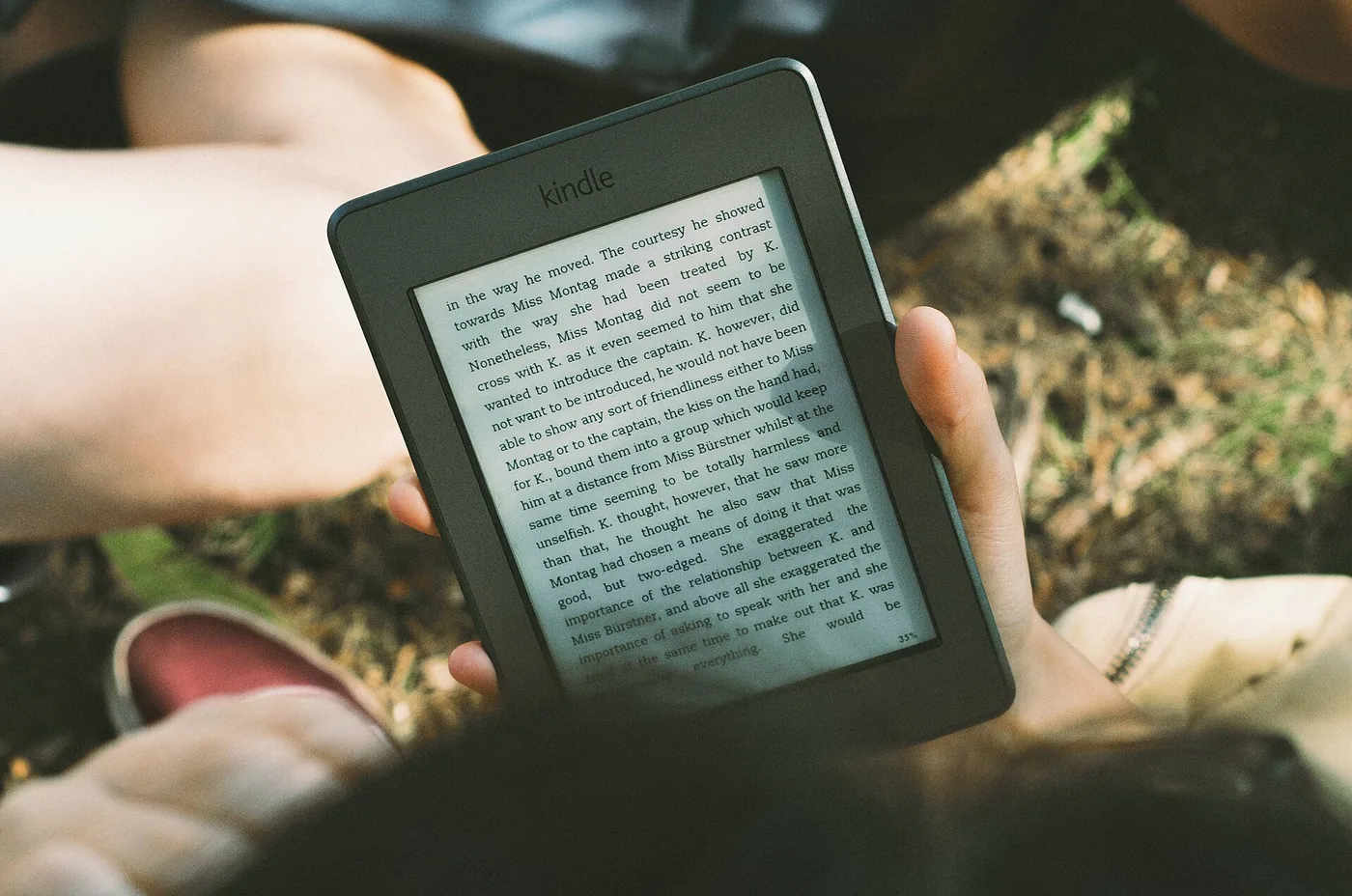
Nathan found its front light the more natural of the two and its software a little smoother and quicker, with text that looks smoother than on the BOOX's built-in reader. He also notes the Paperwhite shows only a basic home screen, built around recommendations. Product photo: Jacek Halicki, Wikimedia Commons, CC BY-SA 4.0, an earlier Paperwhite generation, not the 2024 model reviewed here.
Books, apps and files
This is the real difference. The Kindle gives you Amazon's store on the device, your library, Goodreads and Audible. The BOOX runs full Android with Google Play, so MrGadget and Dan both ran the Kindle, Kobo and Libby apps on it, and it opens most file types directly, including PDF, EPUB, MOBI and DOCX, with CBZ and CBR for comics on the Amazon listing. Allan Liu, who moved from a 2021 Paperwhite to the first Go Color 7, says the Kindle does not open the common manga formats CBZ and CBR without conversion.
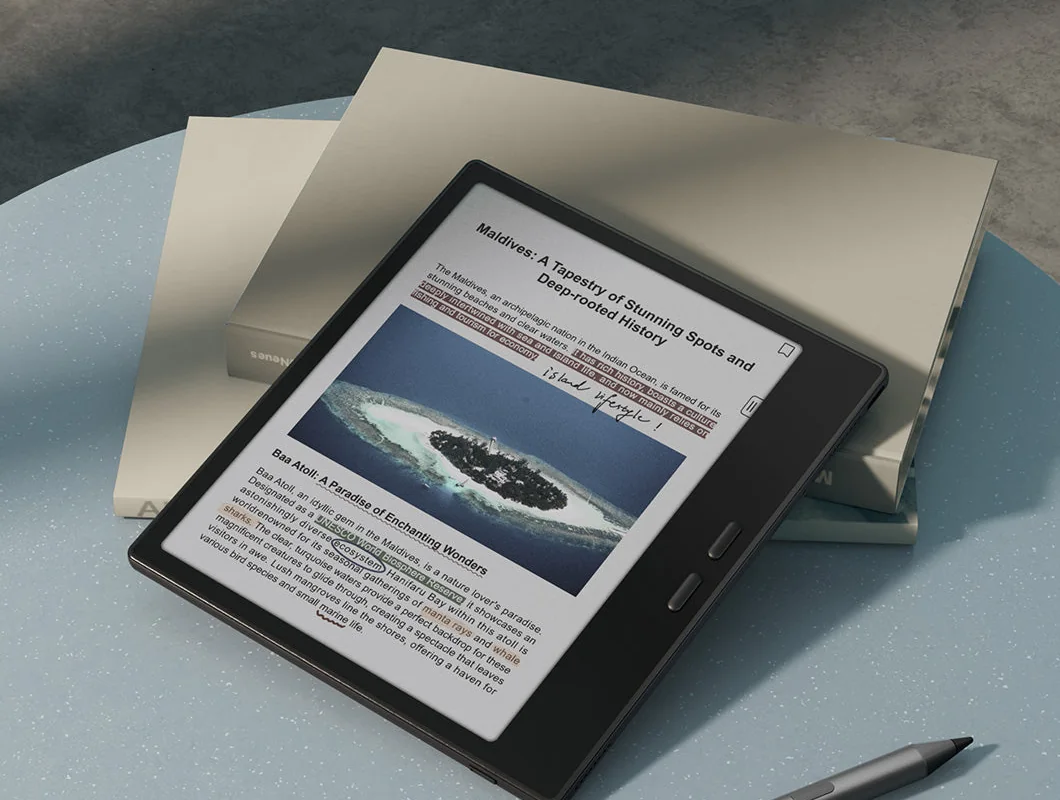
The trade-offs are real too. Nathan notes the BOOX's built-in reader cannot open Kindle books with DRM, so Kindle books mean using the Kindle app, which Nathan says was not designed for e-ink and runs a little more glitchy there. In his test the BOOX also has a text-to-speech feature that Kindles do not, and a smoother web browser. If all your books are on Amazon, that settles it. If they are not, it is the best argument for the BOOX. Our travel books to download guide covers what to load before a trip.
Buttons, water and battery
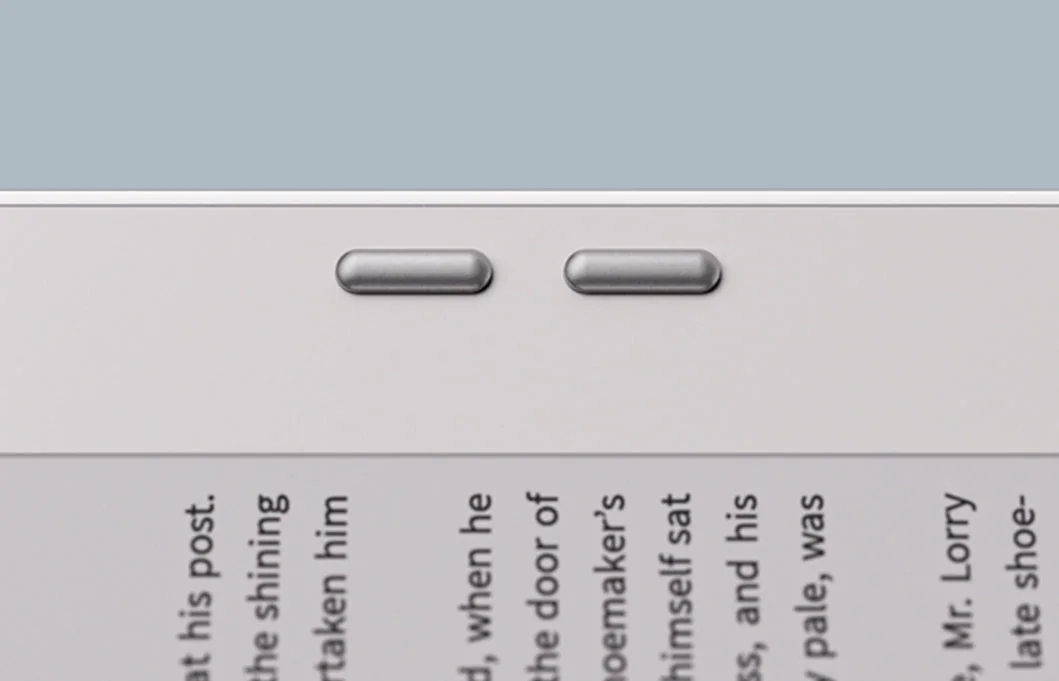
Page-turn buttons are a BOOX feature the Kindle Paperwhite and Colorsoft lack. Allan found them stiff but still better than none, and MrGadget calls the Colorsoft's tap-only turning "tiring for 3 hours". Water goes the other way: Amazon lists IPX8 for the Paperwhite, and BOOX calls the Go 7 series water-repellent only, which MrGadget reads as "out" if you read in the bath.
On battery, BOOX lists 2,300 mAh and Amazon lists up to 12 weeks for the Paperwhite and up to 8 for the Colorsoft. Dan, who tested the BOOX against the Colorsoft, expects four to six weeks from the BOOX. For the trip itself, see our comfort gear for long flights, buses and trains and our Anker vs UGREEN power bank comparison.
Notes and stylus
BOOX lists support for its InkSense and InkSense Plus styluses, and the Go Color 7 (Gen II) page says handwriting needs the latest firmware. Dan, who did not have the stylus, passes on what he read: writing on a screen this size is not on par with a dedicated note-taking tablet. Amazon's compare table lists no pen for the Paperwhite or the Colorsoft. If note-taking matters, treat the stylus as a bonus, not the reason to buy.
Also worth a look
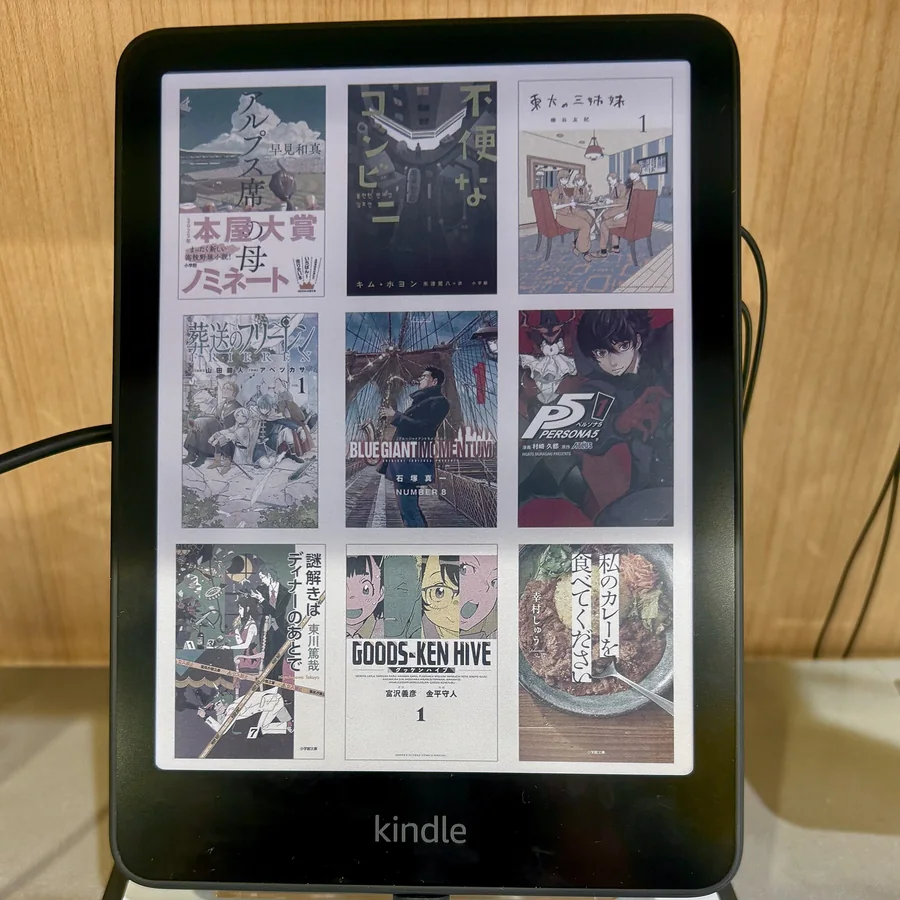
Amazon Kindle Colorsoft 16 GB (2024 model)
What Amazon says
- A 7 inch Colorsoft display with paper-like color and highlighting in four colors
- Up to 8 weeks on a USB-C charge, an adjustable warm light and a waterproof design
- In stock on 9 October 2026, sold by Amazon, 10K+ bought in the past month and 2,979 ratings
- Amazon notes the Colorsoft display is optimized for color, unlike the Paperwhite display
Dan and MrGadget both put the Colorsoft next to the BOOX, and MrGadget's advice is to buy the Colorsoft if your books are on Amazon and you want zero problems. It is also a Kindle with no buttons, so you tap for every page. For the Kindle choice without the BOOX, see our Kindle vs Paperwhite, Kindle Paperwhite vs Colorsoft and Kindle Paperwhite vs Kobo Clara BW guides. Product photo: a Colorsoft on a shop stand, Kyu3a, Wikimedia Commons, CC BY-SA 4.0.
Which one to pick
The Amazon reader: the Paperwhite, because your library stays in one store and nothing needs setting up. The bath, beach or pool reader: the Paperwhite. The manga and comics reader: the BOOX, for CBZ and CBR files, color and buttons. The library and several-store reader: the BOOX, because it runs Libby, Kobo and Kindle together. The one who dislikes fiddling: the Kindle. The one who loves tinkering: the BOOX.
BOOX Go Color 7 on Amazon Kindle Paperwhite on Amazon
For rail journeys, see our guide to train and bus travel in Europe.

- BOOX Go Color 7 (Gen II): 7 in color, Android 13 with Google Play, 64 GB plus microSD, page-turn buttons, about 195 g, water-repellent only.
- Kindle Paperwhite (2024): 7 in black and white, IPX8, up to 12 weeks, 211 g, Kindle Store built in.
- Testers disagree on color: one found the Kindle Colorsoft sharper, another found the BOOX most saturated.
- Kindle books are easiest on a Kindle. The BOOX is better for several stores, libraries, comics and files.
- The stylus for the BOOX is sold separately.
Watch: Boox vs Kindle
Nathan puts the 2024 Paperwhite next to the black-and-white BOOX Go 7, the sibling of the Go Color 7 in this article.
Video by The eBook Reader.
The Paperwhite and the BOOX from this article:
Amazon Kindle Paperwhite 16GB (2024 model)
BOOX Go Color 7 (Gen II) E Ink Tablet
Dan compares the Go Color 7 (Gen II) with the Kindle Colorsoft side by side.
Video by One Man Book Club.
The Colorsoft from this video:
Amazon Kindle Colorsoft 16 GB (2024 model)
MrGadget bought the Colorsoft, a Kobo Libra Colour and the Go Color 7 (Gen II) and used them for two weeks.
Video by MrGadget.
The BOOX from this video:
BOOX Go Color 7 (Gen II) E Ink Tablet
FAQ
Is Boox better than Kindle?
It depends on what you read. A Kindle is simpler, waterproof and has the Kindle Store built in. A BOOX runs Android with Google Play, has buttons and opens more file types. Testers say Kindle books are smoother on a Kindle.
Can a Boox read Kindle books?
Yes, through the Kindle app from Google Play. A tester notes the BOOX's own reader cannot open Kindle books with DRM, and that the Kindle app, not designed for e-ink, runs a little more glitchy there.
Is the Boox Go Color 7 waterproof?
No. BOOX describes the Go 7 series as water-repellent, not waterproof. Amazon lists IPX8 for the Kindle Paperwhite.
Does the Boox Go Color 7 come with a stylus?
No. BOOX says the stylus is not in the box. It supports InkSense and InkSense Plus, sold separately, and handwriting needs the latest firmware.
Which has better battery life, Boox or Kindle?
The Kindle on paper: Amazon lists up to 12 weeks for the Paperwhite. BOOX lists a 2,300 mAh battery and no weeks figure on the page we read, and a tester expects four to six weeks.
Is color e-ink worth it?
Only if you read comics, manga or photos. Color e-ink looks darker and grayer than a phone screen, Amazon's listing for the BOOX says, and a tester suggests black and white for plain novels.
Affiliate disclosure. This post contains affiliate links. If you click and buy something, this site earns a small commission at no extra cost to you. Picks are based on published specs, independent tests and manufacturer information. As an Amazon Associate I earn from qualifying purchases. Read the full affiliate disclosure. Amazon and the Amazon logo are trademarks of Amazon.com, Inc. or its affiliates.
Your next step