Best Ergonomic Mouse for Laptop Work on the Road: 6 Picks
As an Amazon Associate I earn from qualifying purchases. Some links on this page earn us a small commission, at no extra cost to you. Full disclosure.
An ergonomic mouse changes how your hand sits while you work: a vertical mouse turns it upright, a trackball keeps it still, a sculpted mouse fills the palm. This guide lists six that fit a laptop bag, from the makers' own pages and what OSHA says about mouse use: two vertical Logitechs, a budget vertical, a trackball, the best-reviewed sculpted mouse and the smallest travel mouse. Checked on 9 October 2026.

Quick answer
Checked on 9 October 2026. Vertical, small to medium hands: the Logitech Lift. Vertical, medium to large hands: the Logitech MX Vertical. Budget vertical: the Anker 2.4G. For a tight table: the Logitech ERGO M575S trackball stays put while your thumb moves the ball. Best-reviewed sculpted mouse: the Logitech MX Master 4. Smallest: the MX Anywhere 3S, a standard shape. OSHA says to keep the mouse close to the keyboard and to keep a straight, neutral wrist.
All six, with a buy button each
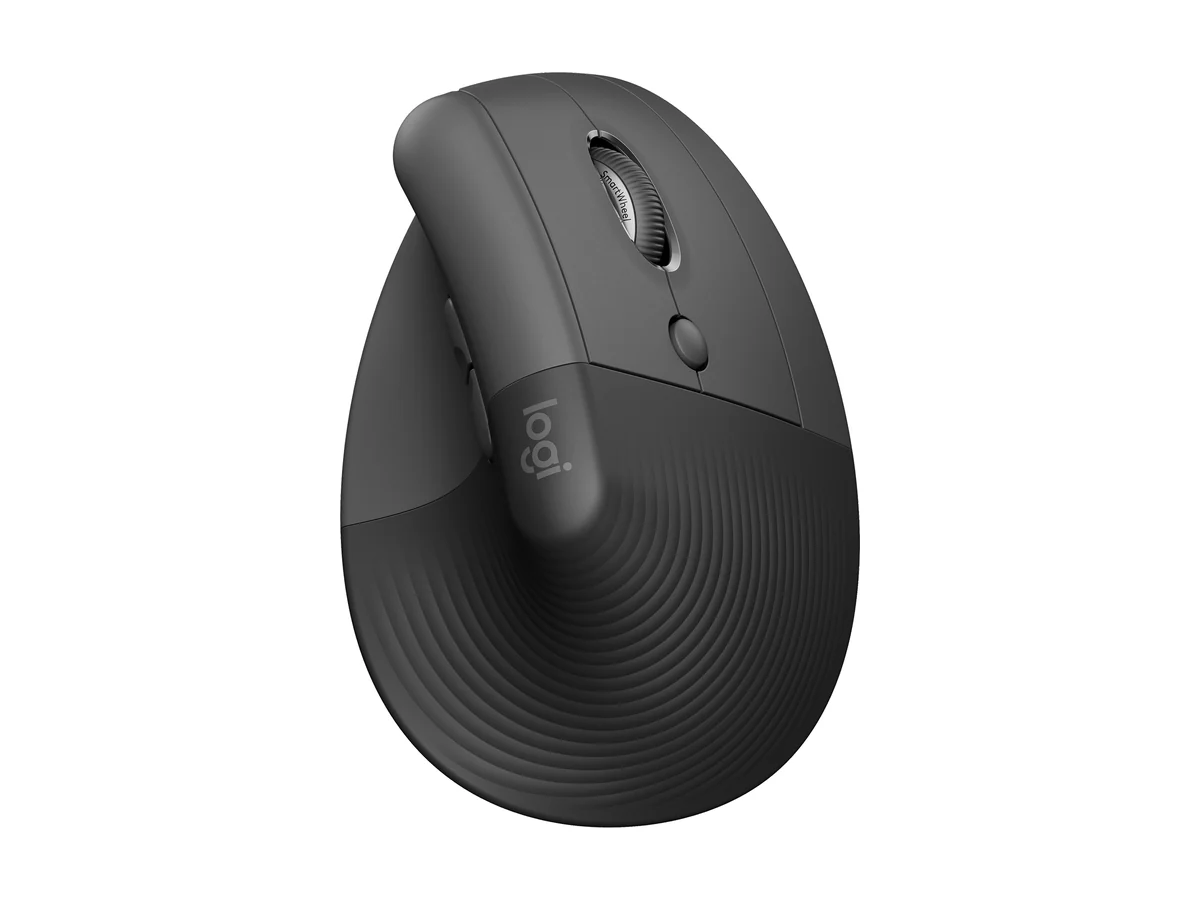
Logitech Lift
125 g, 57-degree angle, one AA battery that lasts up to 24 months. Read more
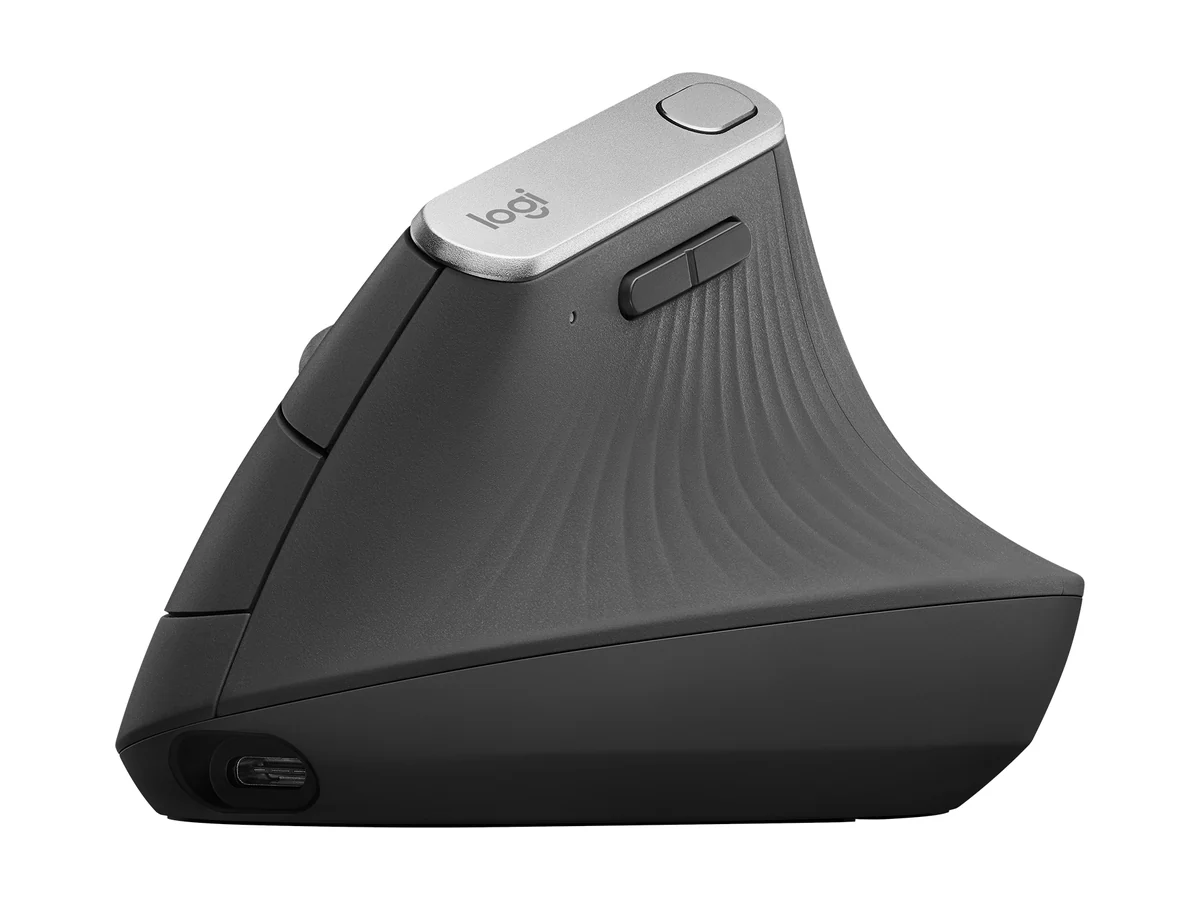
Logitech MX Vertical
125 g, 57-degree angle, rechargeable, up to 4 months. Read more
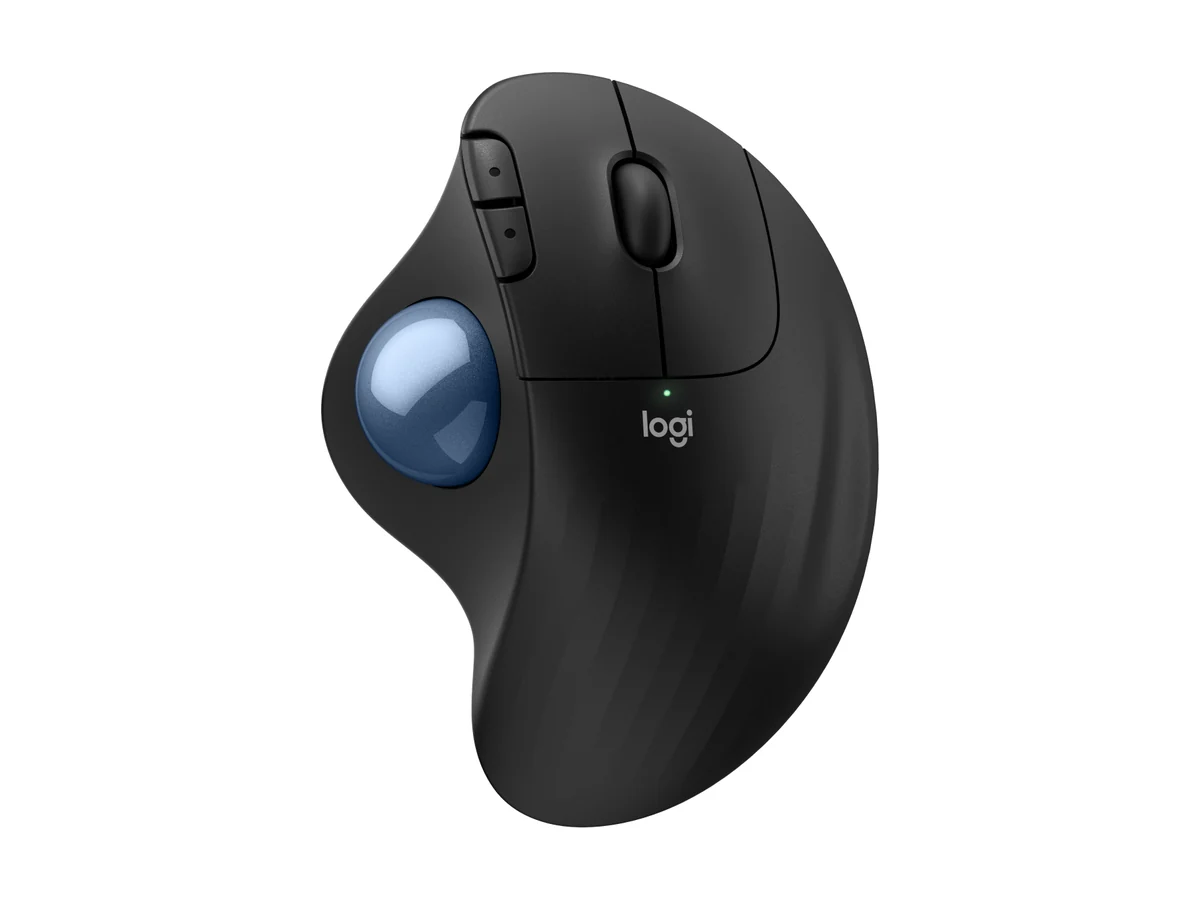
Logitech ERGO M575S
145 g, one AA battery, Bluetooth or Logi Bolt receiver. Read more
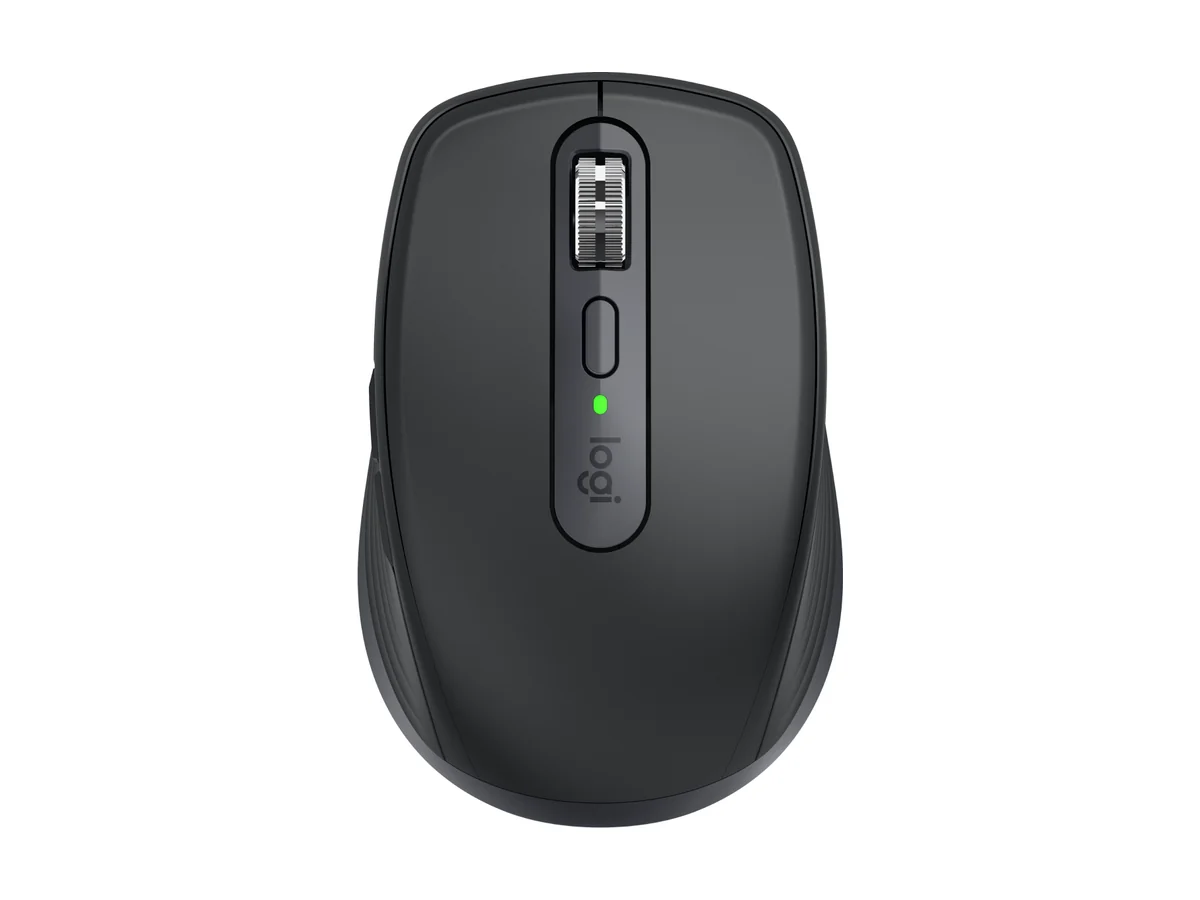
Logitech MX Anywhere 3S
99 g, up to 70 days per charge, 1 minute gives 3 hours. Read more
From the road: I pack light for work: headphones, chargers, my phone and sometimes a second screen.
Chenzo has not told us which mouse he carries, so these six are not his list. We chose them because their makers publish clear numbers and independent testers rate them. The numbers are the makers' own.
How we compared them
The NomadsToolsLab team read all six makers' product pages end to end on 9 October 2026 and checked all six Amazon pages with a US address. What surprised us: Logitech lists the Lift and the MX Vertical at the same weight (125 g) and the same 57-degree angle. The real differences are hand size (the Lift for small to medium hands, the MX Vertical for medium to large), the battery (one AA for up to 24 months against a rechargeable one that lasts up to 4 months) and the size of the mouse.
Testers at Rtings name the MX Master 4 their best ergonomic mouse and the Lift their best mid-range pick, and How-To Geek names the MX Vertical its best vertical mouse. The YouTuber Cameron Dougherty used both vertical Logitechs for extended periods and found the switch from a regular mouse took only a few days. Every number in the table comes from the makers' own pages.

What ergonomic means here
OSHA's computer workstation guide says to keep the pointer or mouse close to the keyboard and to position it so you can keep a straight, neutral wrist posture. It adds that working in awkward postures can irritate or strain the bone-tendon-muscle connections.
Breaks matter as much as the shape. A hand therapy leaflet from Chelsea and Westminster NHS Foundation Trust says to stop working with the keyboard and mouse every 10 to 20 minutes, before your pain increases, and to take your hands off, stretch and move around.

Makers write that their mice reduce strain. We do not repeat that. We list size, weight, battery and connection, which you can check, and we say what independent testers found.
Vertical, trackball or sculpted
| Pick | Type | Weight | Size | Battery | Connection | Shop |
|---|---|---|---|---|---|---|
| Type: Vertical, 57 degrees, small to medium hands | Weight: 125 g | Size: 108 x 70 x 71 mm | Battery: One AA, up to 24 months | Connection: Bluetooth or Logi Bolt receiver, 3 devices | Get yours on Amazon |
| Type: Vertical, 57 degrees, medium to large hands | Weight: 125 g | Size: 120 x 79 x 78.5 mm | Battery: Rechargeable USB-C, up to 4 months | Connection: Bluetooth or Unifying receiver, 3 devices | Get yours on Amazon |
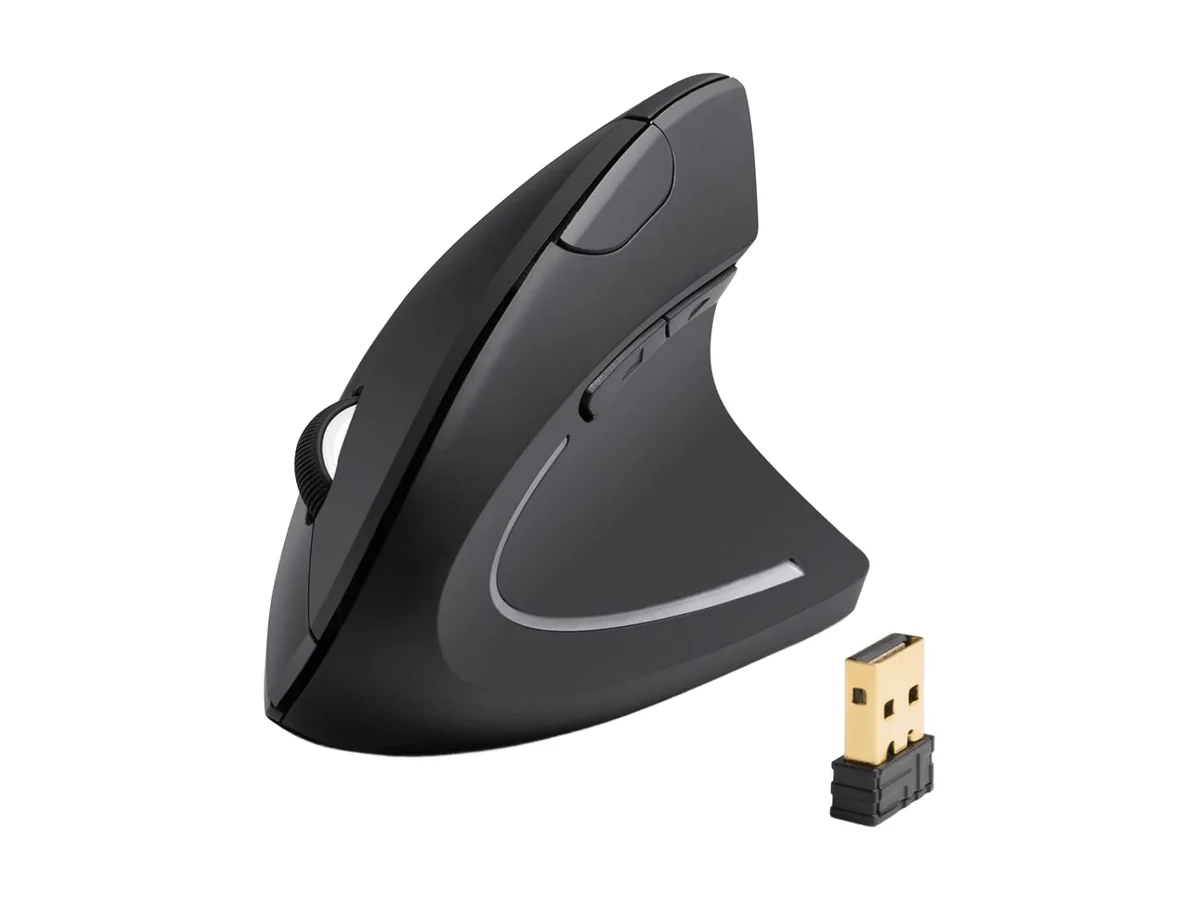 | Type: Vertical | Weight: 3.4 oz | Size: 120 x 62.8 x 74.8 mm | Battery: Two AAA, not included | Connection: 2.4G USB receiver | Get yours on Amazon |
| Type: Thumb trackball, right-handed | Weight: 145 g | Size: 134 x 100 x 48 mm | Battery: One AA, up to 18 months (receiver) or 20 (Bluetooth) | Connection: Bluetooth or Logi Bolt receiver | Get yours on Amazon |
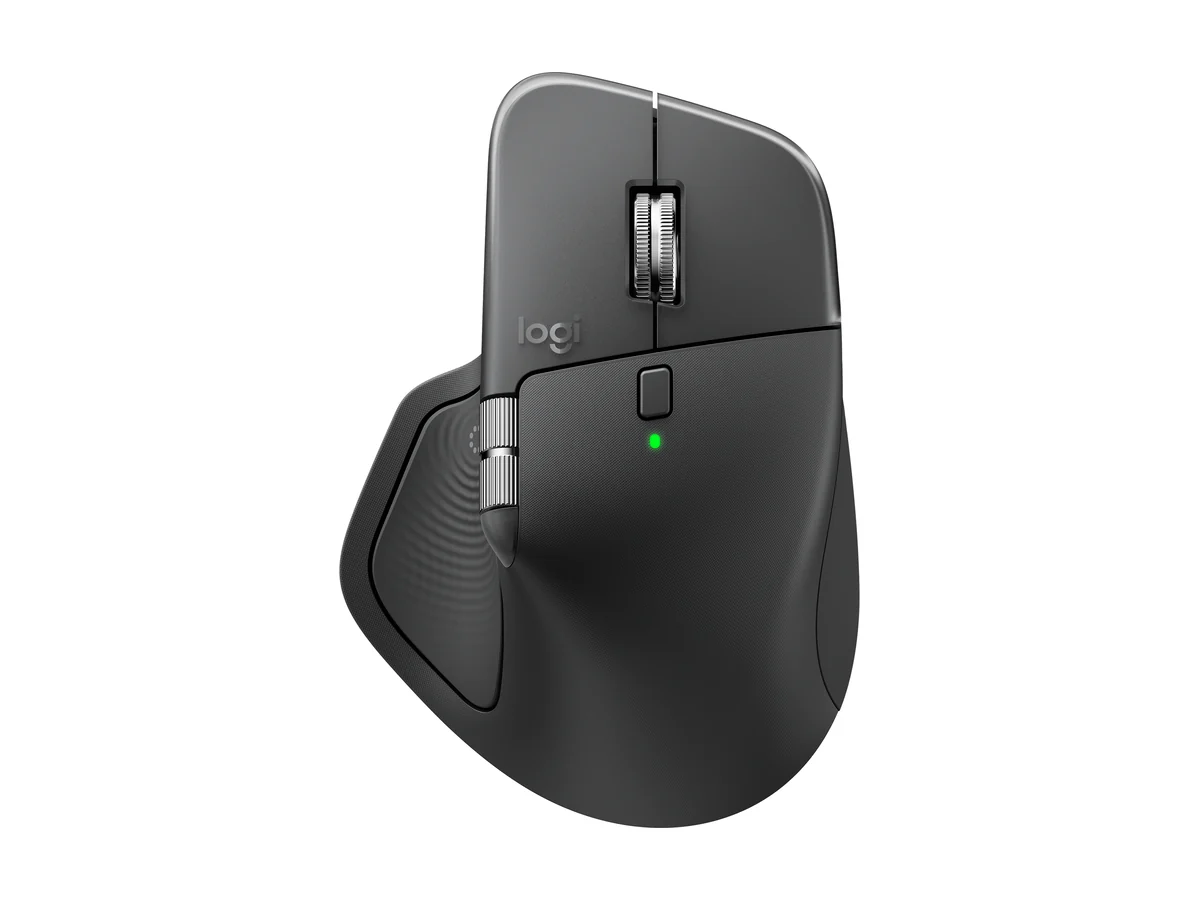 | Type: Sculpted, right-handed shape | Weight: 150 g | Size: 128.15 x 88.35 x 50.8 mm | Battery: Up to 70 days, USB-C | Connection: Bluetooth LE, Bolt receiver in the box, 3 devices | Get yours on Amazon |
| Type: Compact, standard shape | Weight: 99 g | Size: 100.5 x 65 x 34.4 mm | Battery: Up to 70 days, USB-C | Connection: Bluetooth, 3 devices, Logi Bolt receiver not included | Get yours on Amazon |
Everything in this table is what the makers say, read on 9 October 2026. Anker's page lists a 2.4G receiver; Logitech's pages list Bluetooth, and the Logi Bolt or Unifying receiver where one is named. The MX Anywhere 3S is not an ergonomic shape. We include it because OSHA's advice starts with keeping the mouse close and the wrist neutral, and a compact mouse is the one that stays in the bag.
1. Logitech Lift: vertical, small hands
Logitech Lift
Logitech lists the Lift as optimized for small to medium-sized hands, with a 57-degree angle it calls a natural handshake position. It weighs 125 g and measures 108 x 70 x 71 mm. It connects over Bluetooth or the included Logi Bolt receiver, pairs with up to three devices, has six buttons you can customize in Logi Options+ and a sensor up to 4000 DPI.
Logitech says its one AA battery lasts up to 24 months, so there is no charger to pack. A left-handed model is a separate product. Rtings picks the Lift as its best mid-range ergonomic mouse. Cameron Dougherty, who compared it with the MX Vertical, liked the silent clicks and the smart scroll wheel, found that his little finger tended to drag on the table, and found the side buttons loud and hollow.
2. Logitech MX Vertical: vertical, larger hands
Logitech MX Vertical
Logitech says the MX Vertical is sculpted for medium to large-sized hands. The page lists a 57-degree angle, 125 g, 120 x 79 x 78.5 mm and a sensor from 400 to 4000 DPI. The built-in battery charges over USB-C and lasts up to four months of daily use, and one minute of charging gives about three hours. It pairs with up to three devices.
Cameron Dougherty points out what the page does not stress: the MX Vertical is one of the few Logitech mice that can also work with a cable, it uses the older Unifying receiver and it has plain clicks. How-To Geek names it the best vertical ergonomic mouse. He picks the Lift for most people, unless you have particularly large hands, want the cable option or like regular clicks.

3. Anker 2.4G: the budget vertical
Anker 2.4G Vertical
Anker lists 120 x 62.8 x 74.8 mm, 3.4 oz, three DPI levels (800, 1200 and 1600) and a 2.4G USB receiver that stores in the bottom of the mouse. It takes two AAA batteries, which are not included, and it goes into power saving after 8 minutes idle.
How-To Geek names an Anker vertical mouse its best budget ergonomic mouse. We could not confirm from Anker's page that it is the same model code, so read the Amazon title before you order. Anker's page names the 2.4G receiver and does not mention Bluetooth, so you may need a free USB port or an adapter.
4. Logitech ERGO M575S: the budget trackball
Logitech ERGO M575S
Logitech lists 145 g and 134 x 100 x 48 mm. One AA battery is included and lasts up to 18 months with the USB receiver or up to 20 months over Bluetooth. It connects by Bluetooth Low Energy or the Logi Bolt receiver, it is right-handed only and it works with Chromebooks. It is not compatible with older Unifying receivers.
How-To Geek picked the ERGO M575, the model the M575S follows, as its best trackball. A trackball stays put, which suits a cramped train table. The page says nothing about the learning curve, and the page contradicts itself on the number of customizable buttons, so we give none.
5. Logitech MX Master 4: the sculpted all-rounder
Logitech MX Master 4
Logitech lists 150 g and 128.15 x 88.35 x 50.8 mm, up to 70 days per full charge and three hours from a one-minute quick charge over USB-C (the cable is not included), up to three devices, Bluetooth Low Energy 5.1 with a range of 10 m and a Logi Bolt receiver in the box.
Rtings names it its best ergonomic mouse and says it replaced the MX Master 3S at the top on 13 January 2026. Tom's Guide names it its best mouse overall. Rtings notes that the gesture and haptic features need the companion software. It has a right-handed shape with a thumb rest.

6. Logitech MX Anywhere 3S: the compact one
Logitech MX Anywhere 3S
Logitech lists 99 g and 100.5 x 65 x 34.4 mm. It stays powered up to 70 days on a full charge and runs up to three hours off a one-minute charge, with a USB-C cable included. It connects to up to three devices by Bluetooth and works with the Logi Bolt receiver, which is not included.
Angel Kelley, who used it for three to four months, calls it the best mouse she has tried and likes the build, the quiet clicks and the metal scroll wheel. She also says that because it is small, it may not feel the most ergonomic depending on your hand size.

Torn between the two big Logitech mice? Our MX Master 4 vs MX Master 3S comparison sets Logitech's pages and the testers side by side.
How to choose in five minutes
Hand size
Logitech sizes the Lift for small to medium hands and the MX Vertical for medium to large. A hand in between can go either way. For a head-to-head of the Lift and the MX Vertical, see Logitech Lift vs MX Vertical.
Battery
One AA lasts up to 24 months on the Lift and 18 to 20 on the M575S. The MX Vertical charges over USB-C and lasts up to 4 months.
Space
A trackball stays put, a vertical mouse needs the usual room, and the MX Anywhere 3S is the smallest.
Give any new shape a few days. Cameron Dougherty says it feels strange at first and that it took him only a few days with a vertical mouse. For the rest of the desk see our guides to a laptop stand and a travel keyboard.
- OSHA says to keep the mouse close to the keyboard and to keep a straight, neutral wrist posture.
- The Lift and the MX Vertical share a weight (125 g) and an angle (57 degrees). Hand size decides.
- The Lift runs on one AA battery for up to 24 months. The MX Vertical is rechargeable for up to 4 months.
- A trackball such as the ERGO M575S stays still on a cramped table.
- Rtings ranks the MX Master 4 first, and it is the largest mouse here.
- The MX Anywhere 3S is the smallest, at 99 g, but it is a standard shape.

Chenzo, founder of NomadsToolsLab
I only go to cafes that allow laptop work, or I ask. Two to three hours is fine as long as you order a coffee or something to eat now and then.
Where to go next

The rest of the desk matters as much as the mouse. Read our guides to laptop stands and travel keyboards, and the Keychron vs NuPhy comparison. A sitting position that moves helps too: see active sitting chairs and walking pads. The digital nomad health guide covers the wider health picture, and the complete setup guide lists the whole kit. Planning to work from cafes? Read how to stay productive in cafes. And before you leave, our guide to offline travel apps lists what to download.
FAQ
What is an ergonomic mouse?
A mouse shaped to change how your hand sits: a vertical mouse turns the hand upright, a trackball keeps it still and a sculpted mouse adds shape. OSHA says to keep the mouse close to the keyboard and to keep a straight, neutral wrist posture.
Is a vertical mouse better than a normal mouse?
We found no official body that says so. Logitech lists the Lift and the MX Vertical at a 57-degree angle, and the YouTuber Cameron Dougherty says the switch took him only a few days. Try one and see.
Which ergonomic mouse is smallest for travel?
Of these six, the Logitech MX Anywhere 3S at 99 g and 100.5 x 65 x 34.4 mm, but it is a standard shape. The Lift is the smallest vertical, at 125 g and 108 x 70 x 71 mm.

Lift or MX Vertical?
Logitech sizes the Lift for small to medium hands and the MX Vertical for medium to large. The Lift runs on one AA battery for up to 24 months, and the MX Vertical is rechargeable for up to 4 months.
Do these work with a Mac and a Chromebook?
Check each maker page. Logitech lists the ERGO M575S as working with Chromebook and the MX Anywhere 3S with Windows, macOS, Chrome OS and Linux. Anker lists a 2.4G USB receiver, so you may need a USB adapter.
How often should I take a break from the mouse?
A hand therapy leaflet from Chelsea and Westminster NHS Foundation Trust says to stop working with the keyboard and mouse every 10 to 20 minutes, before your pain increases, and to take your hands off and move around.
Watch: two Logitech mouse reviews
Video by Cameron Dougherty Tech.
Seen enough? Here are the two mice from this video.
Logitech Lift
Logitech MX Vertical
Video by Angel Kelley.
A personal review of the smallest mouse in this guide. Here is the MX Anywhere 3S from the video.
Logitech MX Anywhere 3S
Affiliate disclosure. This post contains affiliate links. If you click and buy something, this site earns a small commission at no extra cost to you. Picks are based on published specs, independent tests and manufacturer information. As an Amazon Associate I earn from qualifying purchases. Read the full affiliate disclosure. Amazon and the Amazon logo are trademarks of Amazon.com, Inc. or its affiliates.
Your next step