Logitech Lift vs MX Vertical: Which Vertical Mouse to Pack?
As an Amazon Associate I earn from qualifying purchases. Some links on this page earn us a small commission, at no extra cost to you. Full disclosure.
Logitech Lift vs MX Vertical is mostly a question of hand size. Logitech says the Lift suits small to medium hands and the MX Vertical medium to large hands, and both hold the hand at a 57-degree angle. We read both Logitech pages and both Amazon listings on 9 October 2026, then read what independent reviewers found.

Quick answer
Checked on 9 October 2026. Pick the Lift if you have small to medium hands, want a single AA battery that Logitech says lasts up to 24 months, or need a left-handed model: Logitech sells a left version. Pick the MX Vertical if your hands are medium to large and you want a larger body with a rechargeable battery (up to 4 months per charge, says Logitech). On Amazon, 9K+ Lifts and 6K+ MX Verticals were bought last month.
Both, with a buy button each
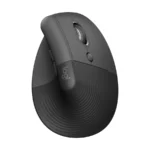
Logitech Lift Vertical Ergonomic Mouse
One AA battery, Bluetooth or Logi Bolt receiver, left-handed version. Ships from Amazon. Read more
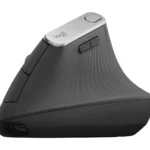
Logitech MX Vertical Wireless Mouse
Rechargeable over USB-C, Bluetooth or Unifying receiver. Sold by Amazon. Read more
Where to go deeper
Best Ergonomic Mouse for Laptop Work on the Road
Six ergonomic mice, from vertical to trackball. Read more
How we compared them
The NomadsToolsLab team read both Logitech product pages on 9 October 2026 and checked both Amazon pages with a US address. What surprised us: Logitech lists the same weight for both mice, 125 g, although the MX Vertical is the bigger one. The reviewer Cameron Dougherty weighed his own units and got 133 g for the Lift and 127 g for the MX Vertical, so the two are close either way.
In his April 2025 comparison, Cameron Dougherty calls size the biggest difference. With a medium hand he found the MX Vertical a bit oversized but usable, and on the Lift his little finger dragged on the table. He prefers the Lift's scroll wheel and silent clicks, found its side buttons loud and hollow, and says the older MX Vertical uses the older Unifying receiver where the Lift uses Logi Bolt. He picks the Lift unless you have large hands, want the MX Vertical's wired mode or like normal clicks.
Mario Duch (November 2024) agrees on size, adds that the MX Vertical only comes in a right-handed version and that the Lift's main clicks and wheel are very quiet while its side buttons are loud. Interesting Engineering (April 2022) recommends the Lift for medium hands, mainly because it avoids frequent charging.
Our conclusion: your hand size decides, your battery habit comes second. Every number in the table comes from Logitech's own pages unless we name the reviewer.

Logitech Lift vs MX Vertical at a glance
| Logitech Lift | Logitech MX Vertical | |
|---|---|---|
| Hand size | Logitech Lift: Small to medium | Logitech MX Vertical: Medium to large |
| Vertical angle | Logitech Lift: 57 degrees | Logitech MX Vertical: 57 degrees |
| Size (H x W x D) | Logitech Lift: 108 x 70 x 71 mm | Logitech MX Vertical: 120 x 79 x 78.5 mm |
| Weight | Logitech Lift: 125 g | Logitech MX Vertical: 125 g |
| Power | Logitech Lift: 1 AA battery included, up to 24 months | Logitech MX Vertical: Built-in battery, USB-C, up to 4 months per charge |
| Quick charge | Logitech Lift: Not needed (AA) | Logitech MX Vertical: 1 minute gives about 3 hours |
| Connection | Logitech Lift: Bluetooth LE or Logi Bolt receiver (included) | Logitech MX Vertical: Bluetooth or Unifying receiver (included), up to 3 devices |
| Sensor | Logitech Lift: 400 to 4,000 dpi in 100 dpi steps | Logitech MX Vertical: 400 to 4,000 dpi in 50 dpi steps |
| Left-handed version | Logitech Lift: Yes (Lift Left) | Logitech MX Vertical: No, right-handed only (Mario Duch) |
| Bought last month on Amazon (9 Oct) | Logitech Lift: 9K+ | Logitech MX Vertical: 6K+ |
1. Logitech Lift
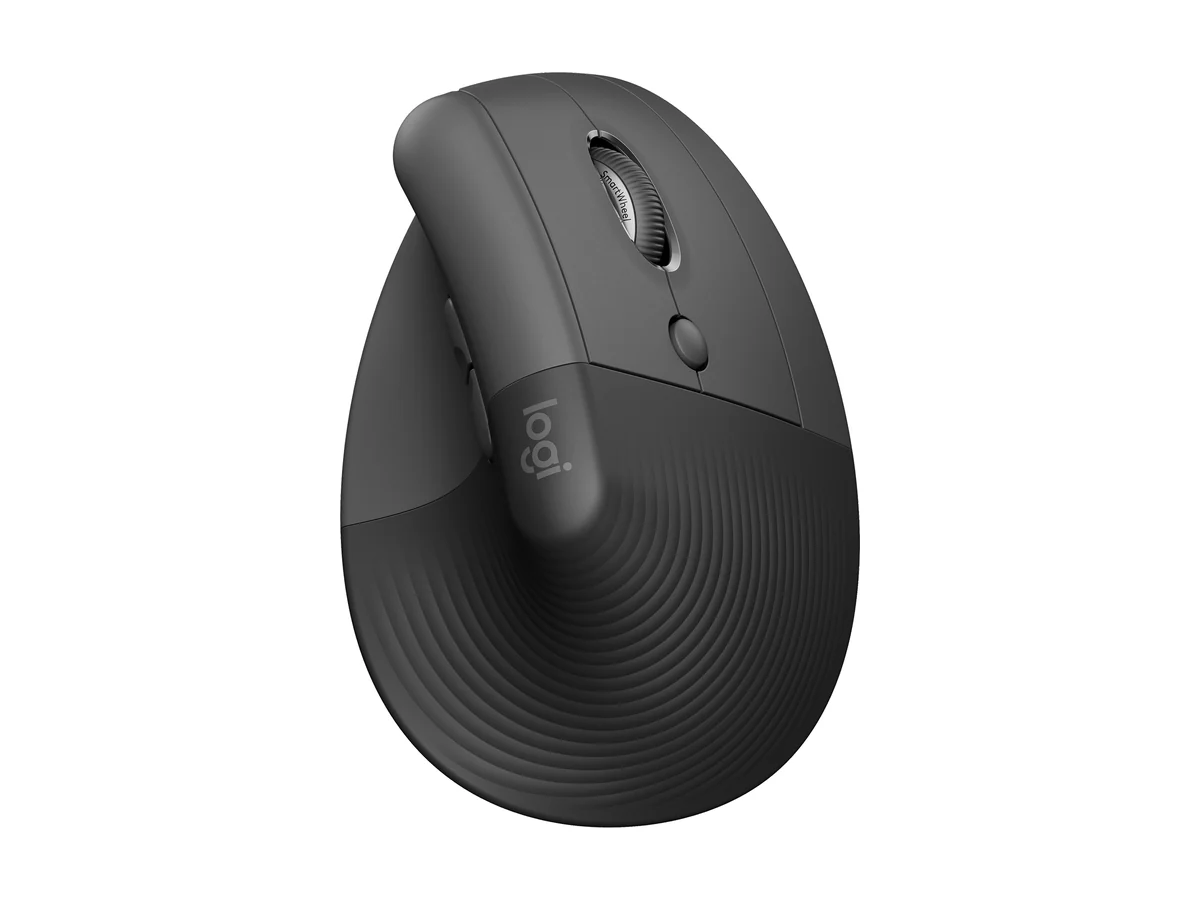
Logitech Lift Vertical Ergonomic Mouse
The Logitech Lift is described on the Logitech page as "great for small to medium-sized hands", with a 57-degree posture, a soft rubber grip and a thumb rest. Logitech lists 108 x 70 x 71 mm, 125 g, six buttons, a sensor from 400 to 4,000 dpi in 100 dpi steps, one AA battery included with up to 24 months of life, and a connection by Bluetooth Low Energy or the Logi Bolt USB receiver that comes in the box. The optional Logi Options+ app for Windows and macOS sets up the buttons.
On 9 October 2026 the graphite Lift showed In Stock under Buy New with an Add to cart button, shipped from Amazon and sold by Abe's Electronics Center, with 9K+ bought in the past month.
The trade-offs, per the reviewers above: it can feel small for a medium hand, and its side buttons are loud even though the main clicks and the wheel are quiet (Cameron Dougherty, Mario Duch).

2. Logitech MX Vertical
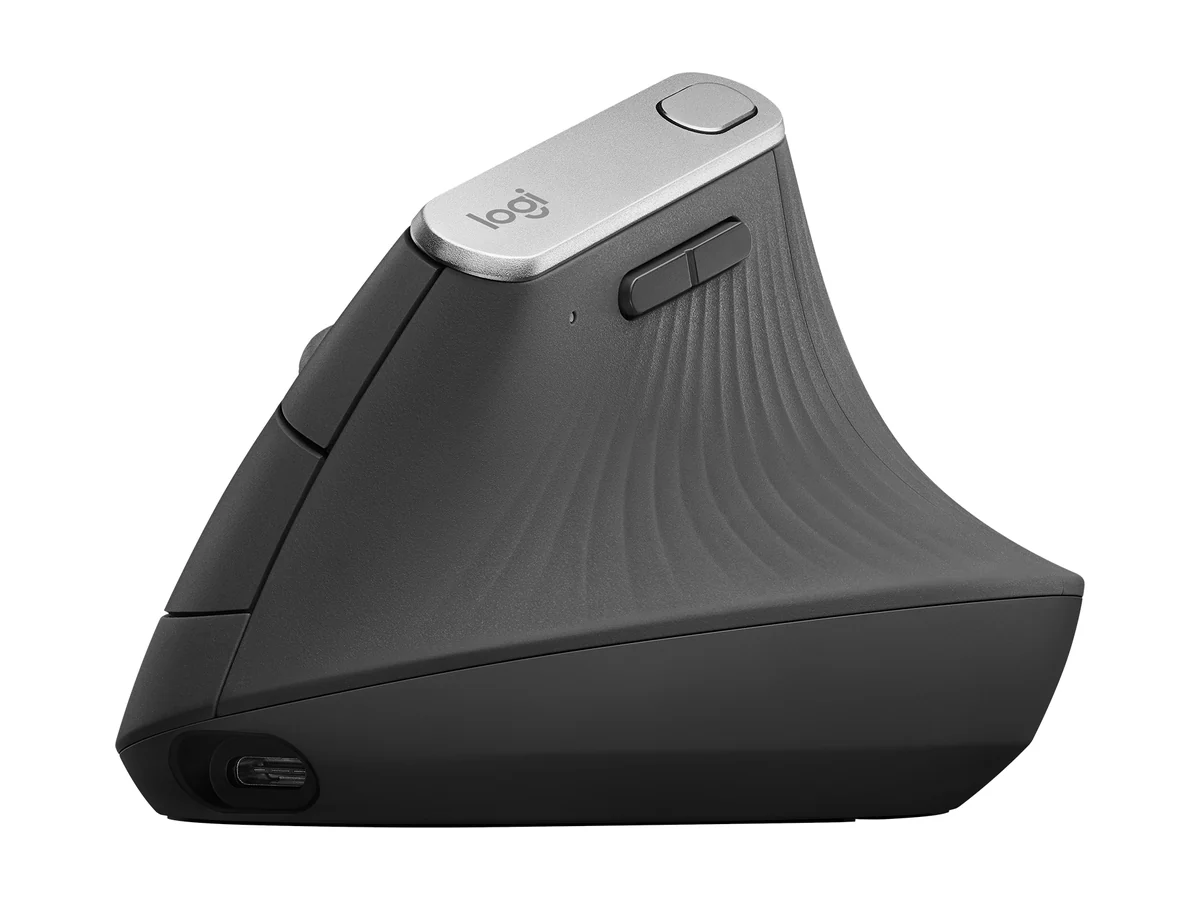
Logitech MX Vertical Wireless Mouse
The Logitech MX Vertical is, per Logitech's FAQ, "ideally sculpted for medium to large-sized hands". The Logitech page lists a 57-degree vertical angle, 120 x 79 x 78.5 mm, 125 g, a sensor from 400 to 4,000 dpi in 50 dpi steps and a cursor-speed switch on top. The built-in battery charges over the included USB-C cable and lasts up to 4 months of daily use; one minute of charging gives roughly 3 hours, and the mouse works while it charges. It pairs with up to 3 devices over Bluetooth or the Unifying receiver and supports Logitech Flow across screens.
On 9 October 2026 the graphite MX Vertical showed In Stock under Buy New with an Add to cart button, sold and shipped by Amazon.com, with a 30-day refund or replacement and 6K+ bought in the past month.
The trade-offs, per Cameron Dougherty: it uses the older Unifying receiver, has normal clicks and a basic line-by-line scroll wheel, and feels slightly hollow. On his side, it fits a full hand without the little finger dragging, and it can also work as a wired mouse.
Which one to pick

Small to medium hands: the Lift, which Logitech sizes for them. Medium to large hands: the MX Vertical. In between: both reviewers say you can go either way; Interesting Engineering and Cameron Dougherty both lean to the Lift. Left-handed: the Lift, the only one with a left version. No charging routine: the Lift runs on one AA battery. You like a USB-C cable and quick charge: the MX Vertical. Quiet room: the Lift's main clicks, though its side buttons are loud.
Not these two? Our best ergonomic mouse for laptop work on the road guide compares four more, from a trackball to a sculpted mouse. For a desk that fits in a bag, see our guides to laptop stands and portable standing desks, and for a keyboard to go with the mouse, the Logitech MX Keys Mini vs Keychron K3 comparison.
Watch: Lift vs MX Vertical in video
Video by Cameron Dougherty Tech. His description carries affiliate links.
Cameron Dougherty Tech goes through size, materials, buttons, scroll wheel, battery, connection and software, and says the Lift is the one he would pick unless you have large hands. Both mice are below.
Logitech Lift Vertical Ergonomic Mouse
Logitech MX Vertical Wireless Mouse
Video by Mario Duch. His description carries Amazon links.
Mario Duch decides it on handedness and hand size: the MX Vertical is right-handed only, the Lift also comes in a left-handed version, and hands from small to medium suit the Lift. He also covers charging, connection, click noise and the Lift's business version.
Logitech Lift Vertical Ergonomic Mouse
Logitech MX Vertical Wireless Mouse
- Hand size decides: Logitech sizes the Lift for small to medium hands and the MX Vertical for medium to large hands.
- Both hold the hand at 57 degrees and Logitech lists 125 g for each.
- Lift: one AA battery, up to 24 months, Bluetooth or Logi Bolt, a left-handed version. MX Vertical: rechargeable over USB-C, up to 4 months per charge, right-handed only.
- Reviewers lean to the Lift for medium hands; the Lift's side buttons are loud, the MX Vertical uses the older Unifying receiver.
- On 9 October 2026 both were in stock on Amazon: Lift with 9K+ bought last month, MX Vertical 6K+.
FAQ
Is the Logitech Lift or the MX Vertical better?
It depends on your hand. Logitech lists the Lift for small to medium hands and the MX Vertical for medium to large hands. With a medium hand, Cameron Dougherty Tech and Interesting Engineering both lean to the Lift.
Is the Logitech Lift available for left-handed users?
Yes. Logitech sells a Lift Left. Mario Duch says the MX Vertical only comes in a right-handed version.
How long does the battery last on the Lift and the MX Vertical?
Logitech lists up to 24 months on one AA battery for the Lift. For the MX Vertical it lists up to 4 months per charge, and 1 minute of charging gives roughly 3 hours of use.
Which is bigger, the Lift or the MX Vertical?
The MX Vertical. Logitech lists 120 x 79 x 78.5 mm for it and 108 x 70 x 71 mm for the Lift, with the same listed weight of 125 g.
Affiliate disclosure. This post contains affiliate links. If you click and buy something, this site earns a small commission at no extra cost to you. Picks are based on published specs, independent tests and manufacturer information. As an Amazon Associate I earn from qualifying purchases. Read the full affiliate disclosure. Amazon and the Amazon logo are trademarks of Amazon.com, Inc. or its affiliates.
Where to go next
See the best ergonomic mouse for laptop work on the road, the guide to working remotely while traveling and our Keychron vs NuPhy keyboard comparison.
Your next step