Best Mechanical Keyboard for Digital Nomads: Compact, Portable, Quiet
As an Amazon Associate I earn from qualifying purchases. Some links on this page earn us a small commission, at no extra cost to you. Full disclosure.
Quick answer
Checked on 9 October 2026. The best mechanical keyboard for digital nomads depends on what goes in your bag. Take the NuPhy Air75 V3 for a thin board with the biggest battery, up to 1,200 hours by NuPhy’s own figure, and 2.4GHz wireless. Take the Keychron K3 Version 2 for the lighter board, about 483g, with a choice of Gateron mechanical or Keychron optical low-profile switches. Take the Logitech MX Mechanical Mini for one keyboard across three devices with a Logi Bolt receiver, the Royal Kludge RK61 for the smallest 60% layout, and the Razer Huntsman Mini if a cable is fine.
Our top picks
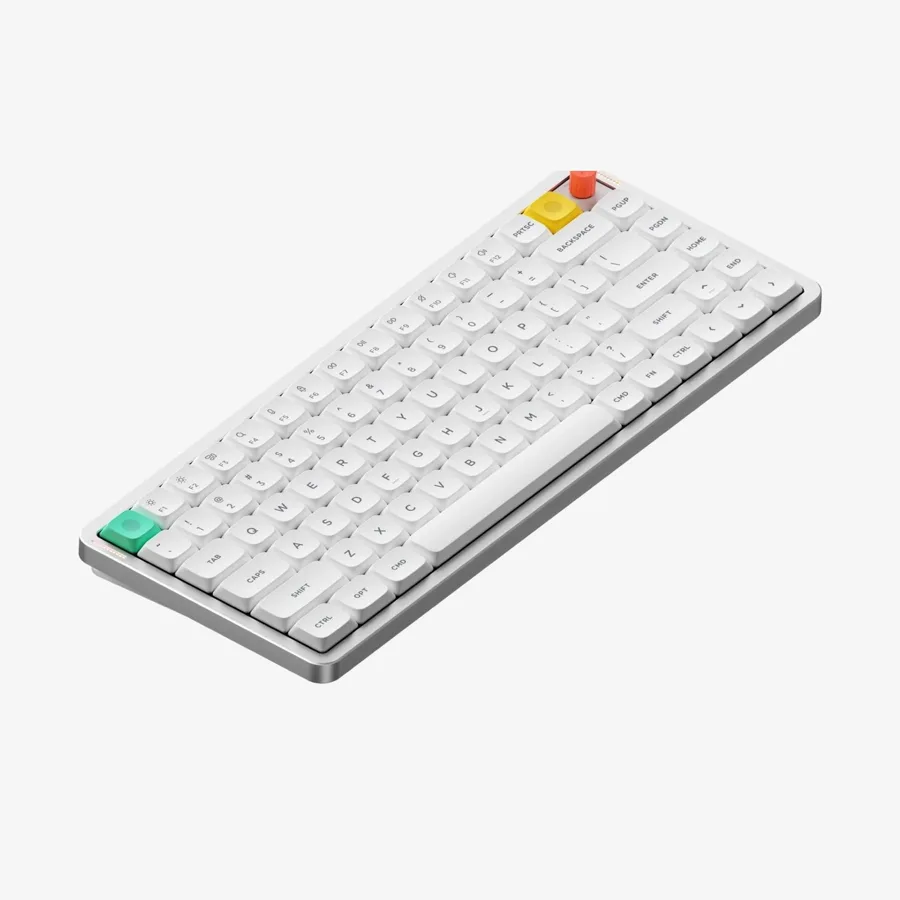
NuPhy Air75 V3
Much bigger battery (up to 1,200 hours by NuPhy’s figure) and 2.4GHz wireless Read more
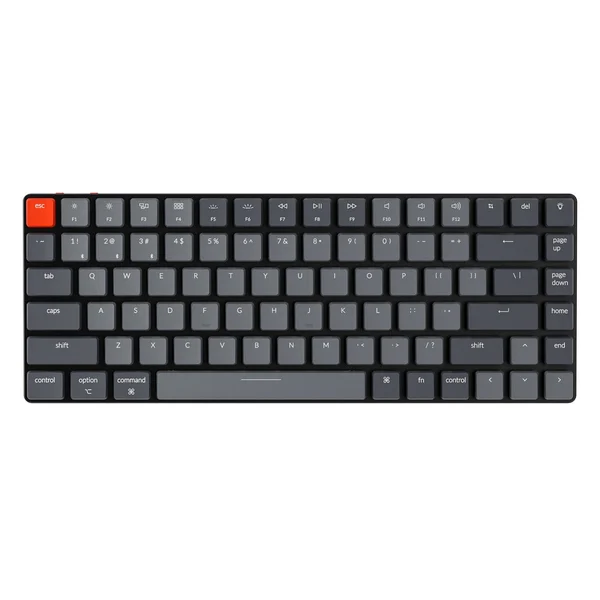
Keychron K3 Version 2
Gateron mechanical or Keychron optical low-profile switches, about 483g Read more
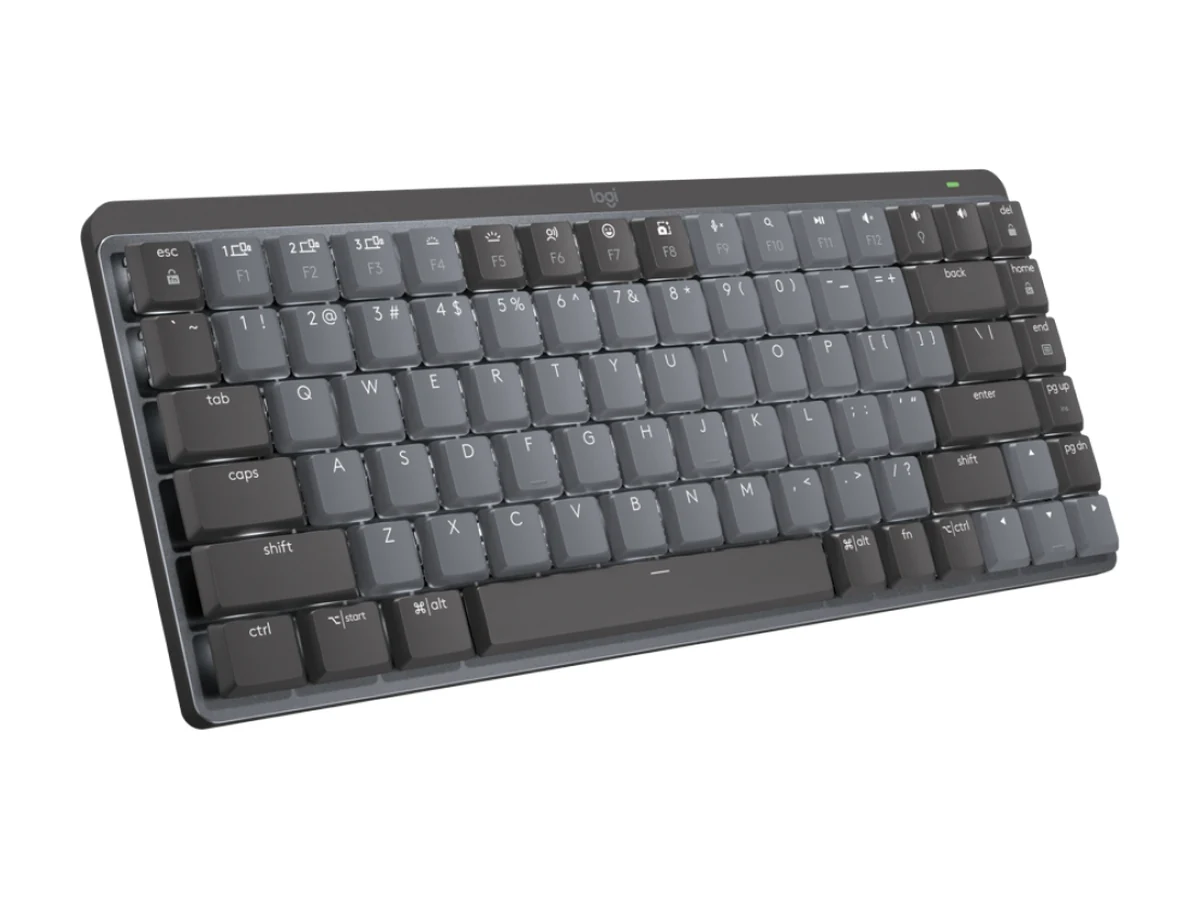
Logitech MX Mechanical Mini
Tactile Quiet, Clicky or Linear switches, up to 3 devices, 612g Read more
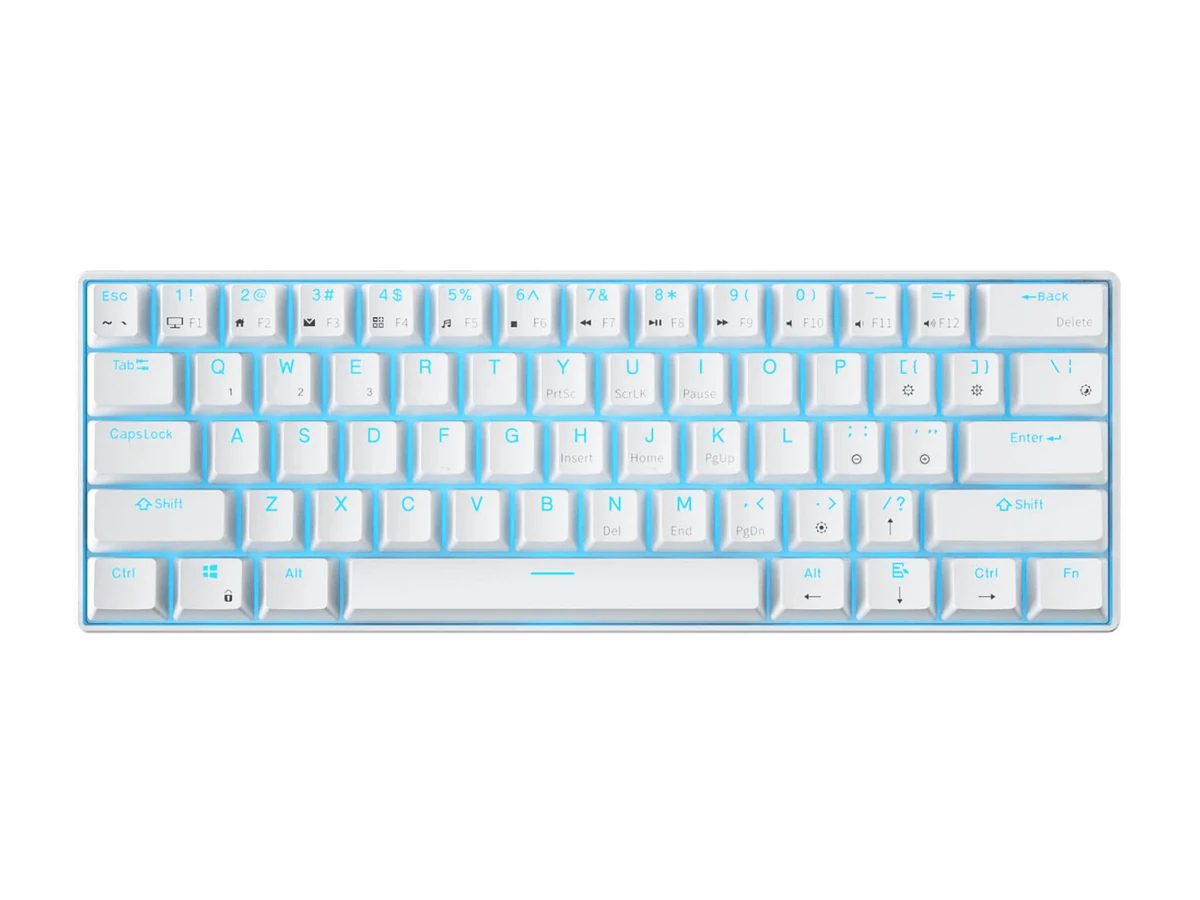
Royal Kludge RK61
61-key 60% board at 0.50kg with Bluetooth, 2.4GHz and USB-C Read more
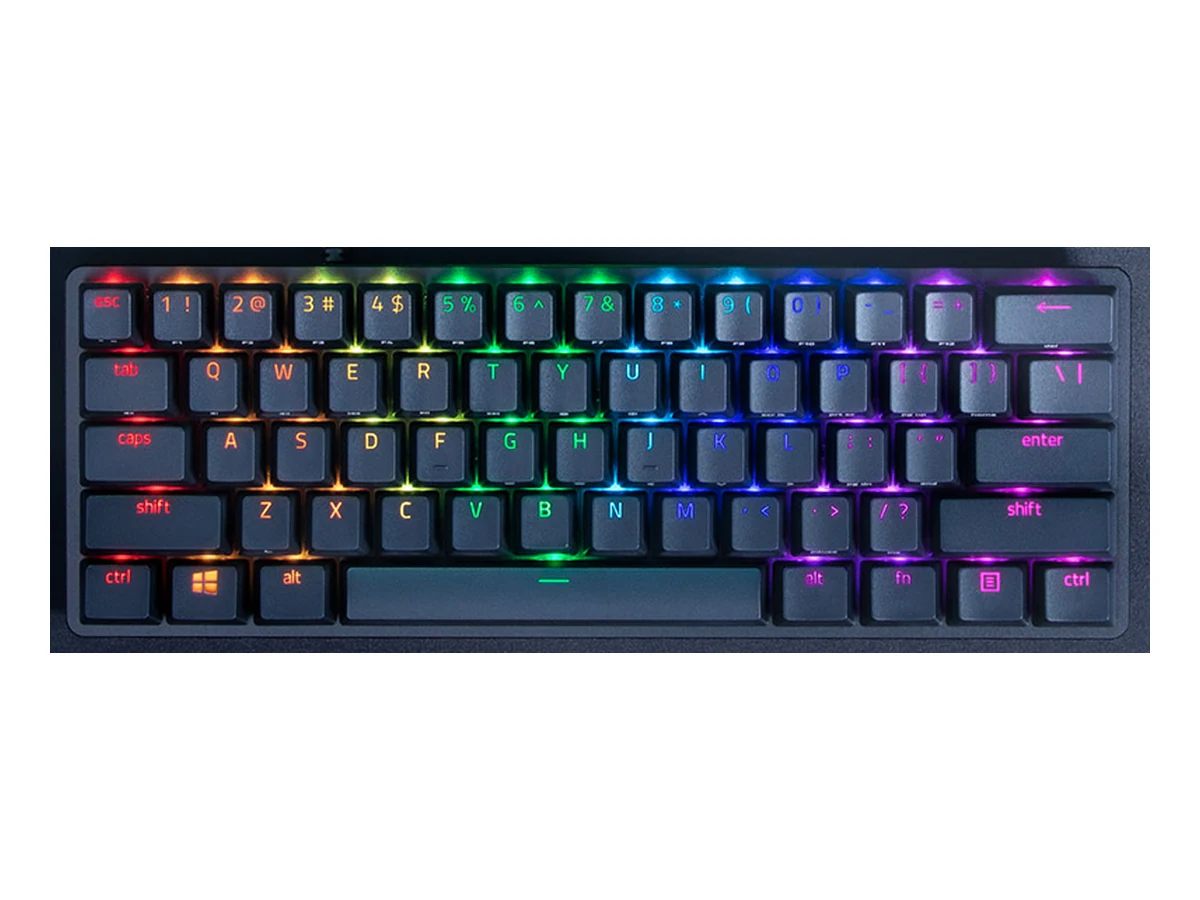
Razer Huntsman Mini
60% board with optical switches and a detachable USB-C cable Read more
How we compared them
The NomadsToolsLab team read the maker pages of all five keyboards on 9 October 2026 and checked every Amazon page with a US address. We kept the boards that show up in at least two of the tests and roundups we went through, which is why a NuPhy, a Keychron, a Logitech, a Royal Kludge and a Razer are here and the rest are not. What surprised us: thin does not mean light. NuPhy lists the Air75 V3 at 13.2 mm thick and 724 g, while Keychron lists the K3 Version 2 at about 483g.
Testers at Tom’s Guide gave the NuPhy Air75 V3 an Editor’s Choice and said it costs and weighs a little more than the V2. Dean Blake at Man of Many bought the Logitech MX Mechanical Mini and used it for about six months: comfortable for long sessions and reliable, but not very customisable. RTINGS, which buys the keyboards it tests, calls the Keychron K3 Version 2 comfortable for long stretches and well built, with no companion software. Every number in the table comes from the makers’ own pages.
Quick Comparison
| Keyboard | Connectivity | Battery | Shop |
|---|---|---|---|
| 2.4GHz, Bluetooth 5.0 | 4000mAh, up to 1,200 hours | Get yours on Amazon |
| Bluetooth 5.1, wired | 1550mAh, up to 34 hours | Get yours on Amazon |
| Bluetooth, Logi Bolt | Up to 15 days, 10 months with backlight off | Get yours on Amazon |
| Bluetooth, 2.4GHz, USB-C wired | 1450mAh | Get yours on Amazon |
| Wired, detachable USB-C | None, wired | Get yours on Amazon |
A best portable mechanical keyboard nomad setup needs to hit three things a normal desktop mechanical keyboard ignores: it has to be small enough to fit in a daypack, quiet enough not to annoy everyone else in a coworking space, and durable enough to survive being packed and unpacked most days.
What to look for in a travel mechanical keyboard
Four things matter more than anything else once a keyboard has to live in a backpack instead of on a desk. Weight, because every gram adds up when you are also carrying a laptop, a charger and a power bank. Battery life, because a keyboard that needs daily charging is one more thing to remember in a new city with an unfamiliar plug. Layout, since a 65% or 75% board without a number pad saves real space without losing the arrow keys and function row most people actually use. And switch feel, because a board you will not enjoy typing on for hours does not save you anything, it just becomes another item you regret packing.
Both boards below pass on layout and switch feel. Where they split is battery and wireless options, which is why the pick often comes down to how you personally travel: fewer, longer stays favor the bigger battery, while a board that runs about 34 hours needs a charging habit.
Why low-profile mechanical, not full-size
Standard mechanical keyboards are loud and bulky, built for a desk you never move. Low-profile mechanical keyboards use shorter switches that feel closer to a laptop keyboard while still giving proper tactile feedback, in a compact 75% or 65% layout that actually fits a backpack.

Typing on a loud full-size mechanical keyboard in a quiet coworking space gets attention fast, and not the good kind. A low-profile board with quieter switches solves the noise problem without giving up the tactile feel that makes long writing sessions less tiring than a flat laptop keyboard.
NuPhy Air75 V3 vs Keychron K3 Version 2
NuPhy Air75 V3
From the spec table
- 4000mAh, up to 1,200 hours (NuPhy figure)
- 2.4GHz and Bluetooth 5.0 wireless
- Hot-swappable switches
- Rotary knob
What could be better
- At 724 g (1.6 lb) by NuPhy’s own figure it is heavier than the Keychron K3
Keychron K3 Version 2
From the spec table
- About 483g
- Bluetooth (up to 3 devices) and wired
- Gateron mechanical or Keychron optical low-profile switches, hot-swappable with the optical ones
- ABS keycaps
What could be better
- 1550mAh, up to 34 hours, a much shorter runtime than the NuPhy
- No 2.4GHz wireless, Bluetooth and wired only
| Feature | NuPhy Air75 V3 | Keychron K3 Version 2 |
|---|---|---|
| Price | Check price on Amazon | Check price on Amazon |
| Weight | 724 g (1.6 lb) | About 483g |
| Battery | 4000mAh, up to 1,200 hours (NuPhy figure) | 1550mAh, up to 34 hours |
| Connectivity | 2.4GHz, Bluetooth 5.0 | Bluetooth 5.1 (up to 3 devices), wired |
| Hot-swappable | Yes | Only with the Keychron optical low-profile switches |
| Keycaps | Double-shot PBT | ABS |
Key takeaways
- The NuPhy Air75 V3 has the bigger battery, up to 1,200 hours by NuPhy’s figure, and adds 2.4GHz wireless.
- The Keychron K3 Version 2 offers Gateron mechanical or Keychron optical low-profile switches, at about 483g.
- Fewer, longer stays favor the bigger battery, while the Keychron’s 34 hours means a charging habit.
- Neither is silent: expect noticeably more noise than a laptop keyboard.
- The Logitech MX Mechanical Mini lists up to 15 days of battery, or 10 months with the backlight off.
- The Royal Kludge RK61 is the smallest, a 61-key 60% board at 0.50kg.
- The Razer Huntsman Mini is wired only.
What could be better
The Keychron’s much smaller battery (1550mAh, up to 34 hours by Keychron’s figure) means more frequent charging, worth planning for if you travel without reliable outlets. The NuPhy’s page lists the V3’s weight at 724 g (1.6 lb), heavier than the Keychron’s 483g. Neither is silent, quiet mechanical is relative, expect noticeably more noise than a laptop keyboard even with quieter switches.
If typing feel matters less to you than pure portability, something like the Logitech K380 weighs a fraction of either mechanical option and needs charging every few months instead of every few days. Mechanical only makes sense if you actually notice and care about the difference while typing.

Three more mechanical keyboards worth packing
Three more mechanical keyboards keep turning up in tests and roundups for small desks and backpacks: the Logitech MX Mechanical Mini, the Royal Kludge RK61 and the Razer Huntsman Mini. If you only want the NuPhy against the Keychron, read Keychron vs NuPhy for the full head-to-head, and the best travel keyboards guide covers lighter, non-mechanical boards.

Logitech MX Mechanical Mini: one board for three devices
The Logitech MX Mechanical Mini suits people who move between a laptop, a tablet and a phone: Logitech lists Bluetooth Low Energy for up to three devices or its Logi Bolt receiver. It weighs 612 g and measures 26.1 mm high on Logitech’s page, heavier and thicker than the Keychron K3. Dean Blake at Man of Many, who bought it and used it for about six months, found it comfortable for long sessions and reliable, and noted that the switches are not easily replaceable. Would you rather have the quieter, non-mechanical Logitech? See Logitech MX Keys Mini vs Keychron K3.
Royal Kludge RK61: the smallest board here
The Royal Kludge RK61 is a 61-key 60% board, the smallest layout in this guide. Its maker lists 0.50 kg, a body of 11.38 x 4.06 x 1.54 inches, a 1450mAh battery, a hot-swap PCB and three ways to connect: Bluetooth 5.1, a 2.4GHz dongle or USB-C. Royal Kludge lists ABS shine-through keycaps for the base RK61, and a 60% layout has no function row, so the arrow keys and F-keys sit behind Fn combinations. It appears in several travel-keyboard roundups, which is why it is here. On 9 October 2026 the Amazon listing was sold by a third-party seller and shipped by Amazon, not sold by Royal Kludge itself.
Razer Huntsman Mini: if a cable is fine
If a cable is fine, the Razer Huntsman Mini is a 60% board with an aluminum top frame, Razer optical switches in Clicky or Linear, doubleshot PBT keycaps and a detachable USB-C cable. Razer’s page shows no wireless mode and no function row, and it does not list a weight. The board can store up to five profiles, so your settings come with you to a new laptop. It appears in two travel-keyboard roundups, so we kept it as the wired option.
Logitech MX Mechanical Mini
From the maker's page
- Tactile Quiet, Clicky or Linear low-profile switches
- Bluetooth Low Energy for up to 3 devices, or the Logi Bolt receiver
- Up to 15 days of battery, up to 10 months with the backlight off
- Backlit keys that light up as your hands approach
- Windows, macOS, ChromeOS, Linux and iPadOS
What could be better
- 612 g and 26.1 mm high, heavier and thicker than the Keychron K3
- Switches and keycaps are not made to be swapped, per Man of Many
Royal Kludge RK61
From the maker's page
- 61 keys (60%), 0.50 kg by Royal Kludge’s own figure
- Bluetooth 5.1, 2.4GHz dongle or USB-C wired
- Hot-swap PCB, Red, Blue or Brown switches
- 1450mAh battery
What could be better
- Royal Kludge’s page lists no battery hours
- ABS keycaps on the base model, no function row, arrows and F-keys via Fn
Razer Huntsman Mini
From the maker's page
- Razer Optical switches, Clicky or Linear
- Doubleshot PBT keycaps and an aluminum top frame
- Detachable USB-C cable
- Up to 5 profiles stored on the board
What could be better
- Wired only, there is no wireless mode
- No function row, and Razer’s page lists no weight
Ready to type in peace? Worth a look: the NuPhy Air75 V3 or the Keychron K3 Version 2. Torn between just these two brands? Read Keychron vs NuPhy. Weighing the Keychron K3 against Logitech's MX Keys Mini? See Logitech MX Keys Mini vs Keychron K3. Want a different shape? The Logitech MX Mechanical Mini, the Royal Kludge RK61 and the Razer Huntsman Mini are covered above.
Related watching: Keychron K3 Max vs NuPhy Air75 V2 vs Apple Magic Keyboard (short spec rundown, ~70 seconds)
More from NomadsToolsLab: Best Webcam for Remote Work and Best Noise Cancelling Headphones for Digital Nomads. See also the best travel keyboards roundup for lighter, non-mechanical options.
Our remote work setup
The gear guides we compare for working from cafes, coliving rooms and rentals:

FAQ
Are low-profile mechanical keyboards actually quieter?
Quieter than a standard full-size mechanical board, yes. Silent compared to a laptop keyboard, no. Expect noticeably more noise than typing on a MacBook, even with the quietest switch option.
Do I need a hot-swappable keyboard as a nomad?
Not essential, but useful. Switches wear out or you may simply want a different feel after months of daily use, and hot-swap means you can change them without a soldering iron.
Is a membrane travel keyboard good enough instead?
For light typing, yes. For anyone writing for hours a day, most people notice the difference in comfort and speed once they have used a mechanical board, which is the whole reason this category exists.
Which of these mechanical keyboards is the lightest?
By the makers' own numbers the Keychron K3 Version 2, at about 483 g. The Royal Kludge RK61 lists 0.50 kg, the Logitech MX Mechanical Mini 612 g and the NuPhy Air75 V3 724 g. Razer lists no weight.
Which one lasts longest on a charge?
NuPhy lists up to 1,200 hours for the Air75 V3 with all lights off, a lab figure. Logitech lists up to 15 days, or up to 10 months with the backlight off, and Keychron up to 34 hours. The Razer is wired.
Is a 60% keyboard good for travel?
A 60% board like the RK61 or the Huntsman Mini saves the most space, but it has no function row and puts the arrow keys behind Fn. A 75% board keeps them.
Watch: three of these keyboards in use
A nine-month look at the NuPhy Air75 V3, filmed in August 2026.
Video by Col Reviews.
Seen enough? Here is the NuPhy Air75 V3 from this article.
NuPhy Air75 V3
A review of the Keychron K3 Version 2 with the Gateron low-profile switches, from July 2025.
Video by bytebeam.
Seen enough? Here is the Keychron K3 Version 2 from this article.
Keychron K3 Version 2
A year of daily use with the Logitech MX Mechanical Mini, from March 2025.
Video by The Honest Reviewer.
Seen enough? Here is the Logitech MX Mechanical Mini from this article.
Logitech MX Mechanical Mini
Affiliate disclosure. This post contains affiliate links. If you click and buy something, this site earns a small commission at no extra cost to you. Picks are based on published specs, independent reviews and manufacturer information, and we only recommend what we would use ourselves. As an Amazon Associate I earn from qualifying purchases. Read the full affiliate disclosure. Amazon and the Amazon logo are trademarks of Amazon.com, Inc. or its affiliates.
Your next step